AOI 27
OOF
Auto Mode 0%
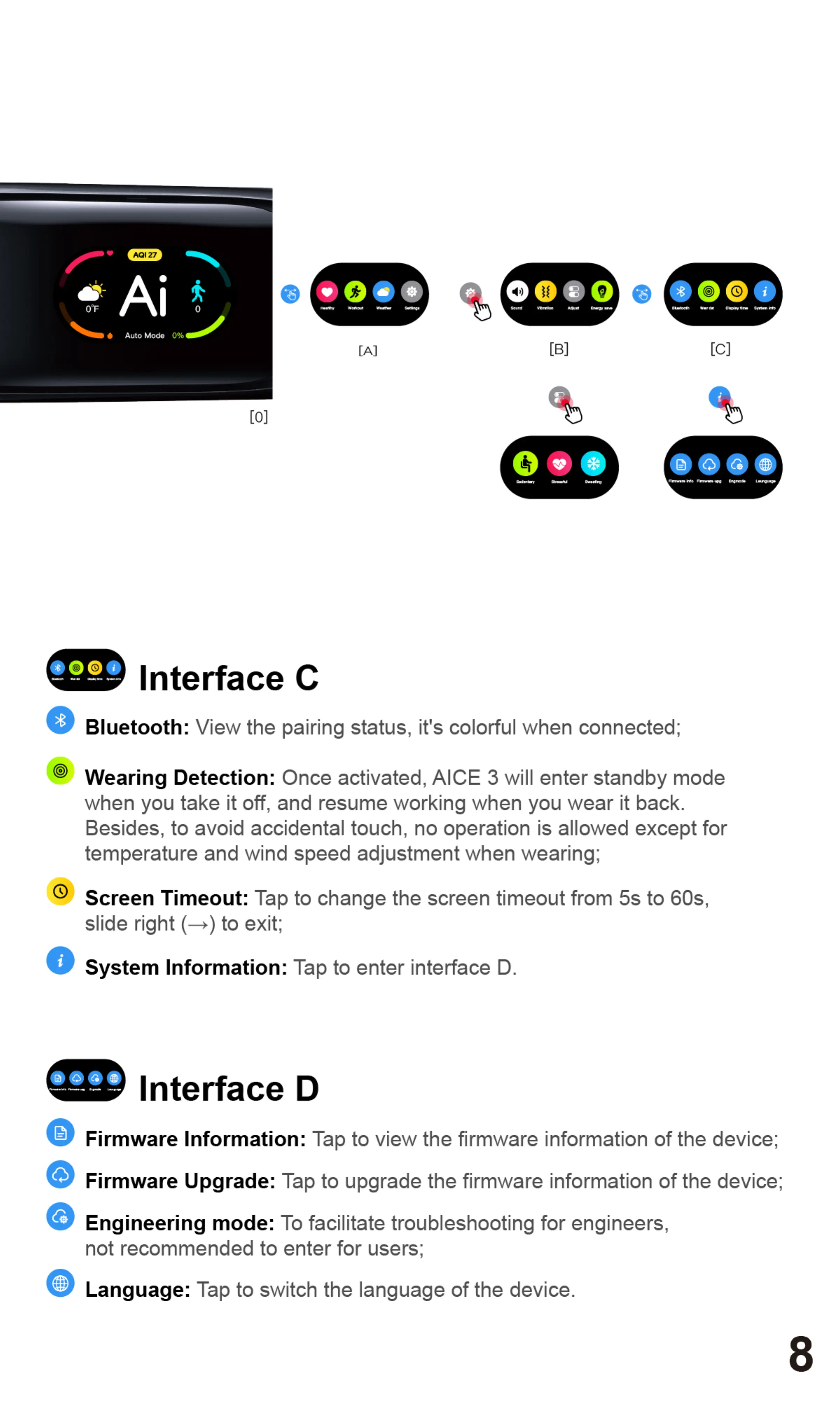
Interface C
ooee O
[B]
O
Bluetooth: View the pairing status, it's colorful when connected;
Wearing Detection: Once activated, AICE 3 will enter standby mode
when you take it off, and resume working when you wear it back.
Besides, to avoid accidental touch, no operation is allowed except for
temperature and wind speed adjustment when wearing;
@ Screen Timeout:
Tap to change the screen timeout from 5s to 60s,
slide right (+) to exit;
O
System Information: Tap to enter interface D.
O
Firmware Information: Tap to view the firmware information of the device;
Firmware Upgrade: Tap to upgrade the firmware information of the device;
Engineering mode: To facilitate troubleshooting for engineers,
not recommended to enter for users;
Language: Tap to switch the language of the device.
8


 To Next Page
 Loading...