Need help?
Do you have a question about the Rapid video mounts RVM-64FM125 and is the answer not in the manual?
Failure to follow instructions can lead to injury, property damage, or voided warranty.
Identification of all screws, washers, and bolts included in the kit.
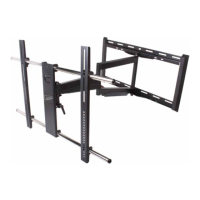
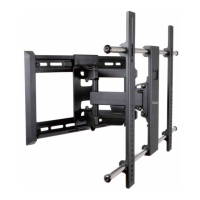
Identification of major mount components labeled A, B, and C.
Guidance on determining wall placement for corner installations using diagrams.
Instructions for attaching the monitor plate to a flat-back TV.
Instructions for attaching the monitor plate to a curved-back TV.
Three options for using additional washers if hardware screws are too long.
Steps to center the monitor plate and secure its vertical rails.
Steps to remove the arm assembly from the wall plate before extending arms.
Securing the wall plate using lag bolts and washers into wood studs.
Securing the wall plate using lag bolts and wall anchors into solid concrete.
Positioning the arm assembly on the wall plate and securing it with screws.
Securing the monitor plate to the arm assembly using M6 acorn nut and washer.
How to adjust the tilt mechanism tension using the ratchet handle lever.
Using acorn nuts to adjust the monitor's tilt and level after installation.
Details warranty coverage, service contact, and responsibilities for US residents.
Limitations on modifications, improper installations, and disclaimers for other warranties.
 General
| Model | RVM-64FM125 |
|---|---|
| Category | TV Mount |
| Compatible TV Size | 32"-65" |
| Load Capacity | 125 lbs |
| Material | Steel |
| Color | Black |
| Product Type | Full Motion TV Mount |
| VESA Compatibility | 200x200mm |
| Tilt Range | +5°/-15° |

 To Next Page