Need help?
Do you have a question about the Rapid video mounts RVM-75FM150 and is the answer not in the manual?
General disclaimer and important warnings regarding product use and safety.
List of tools necessary for the installation process.
Explanation of symbols used throughout the manual.
Identification of all hardware parts with their respective numbers.
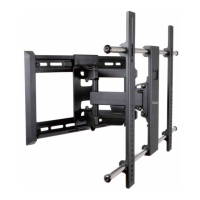
Identification of the main physical components of the mount.
Information and diagrams for mounting the TV mount in a corner.
Connects the universal monitor plate to a flat-back TV.
Connects the universal monitor plate to a curved-back TV.
Ensures the monitor plate is horizontally centered on the TV back.
Adjusts and secures the vertical rails on the monitor plate.
Detaches the arm assembly from the wall plate before proceeding.
Guides the process of mounting the wall plate into wood studs.
Guides the process of mounting the wall plate into solid concrete.
Secures the arm assembly to the wall bracket.
Connects the monitor bracket to the arm assembly.
Fastens the monitor plate to the arm assembly using nuts and washers.
Fine-tunes the tilt tension and checks the level after installation.
Details the product's warranty coverage and terms.
Provides contact information for customer assistance.
 General
| Brand | Rapid video mounts |
|---|---|
| Model | RVM-75FM150 |
| Category | TV Mount |
| Language | English |

 To Next Page