Need help?
Do you have a question about the Rapid video mounts RVM74TOP175 and is the answer not in the manual?
Provides disclaimer and critical safety warnings regarding installation and product usage.
Lists the necessary tools required for the assembly and installation of the mount.
Defines the symbols used throughout the manual to indicate actions or components.
Lists all hardware product numbers with their corresponding part identifiers.
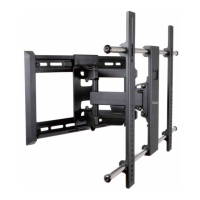
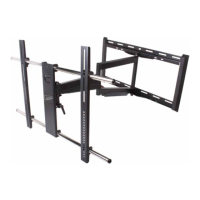
Identifies and labels the main components included in the mount kit.
Connects vertical rails to a flat-back flat panel monitor using specified hardware.
Connects vertical rails to a curved-back flat panel monitor using specified hardware.
Details options for using M8 steel washers if screws are too long for proper tightening.
Locates wood studs, marks locations, and drills pilot holes for wall mounting.
Attaches the wall plate securely to the wall studs using lag bolts and washers.
Positions wall plate on concrete, marks, and drills pilot holes for mounting.
Secures the wall plate to concrete walls using anchors and hardware.
Hangs the monitor with attached rails onto the wall plate and adjusts the tilt angle.
Adjusts screws on vertical rails to ensure the mounted panel is level.
Describes an optional security feature using a pad lock for theft prevention.
 General
| Brand | Rapid video mounts |
|---|---|
| Model | RVM74TOP175 |
| Category | TV Mount |
| Language | English |


 To Next Page