M2000 MOBILE RAPID RADIO
Security Information:
Please read the instructions in this guide carefully to ensure proper use of the mobile radio and avoid potential hazards.
Electronic Equipment
• Do not use the radio in an area that prohibits the use of wireless devices in case of interfering with other electronic equipment.
Flammable and Explosive Areas
• Do not use the radio in areas that contain potentially ammable or explosive materials (e.g. petrol station).
Operating Environment
• Do not use the radio in dusty, humid, or heavily polluted environments, or expose the radio to magnetic elds, as it may cause
internal circuit faults.
• Do not use the equipment during a thunderstorm. This may cause equipment failure or electric shock.
• Do not expose the radio to direct sunlight for extended periods
• Do not expose the radio to water/moisture as it may lead to re or electric shock.
• Do not place the radio near ames or other heat sources such as heaters, microwaves, candles, or ovens.
Accessories Requirements
• Do not use unapproved or incompatible power sources, chargers, or batteries as this may cause re or explosions.
• Only use manufacturer approved accessories. Use of unapproved accessories may cause damage to the radio and will void the warranty.
Maintenance Service:
• Ensure the radio has been switched off and power has been disconnected before cleaning or performing maintenance of the equipment.
• When the radio is not in use, cover all sockets.
• When cleaning dust off the exterior of the equipment do not use corrosive chemicals – use neutral detergents.
• Keep the radio and accessories dry – do not attempt to dry the equipment with a hairdryer, oven, or microwave.
User Manual & Installation Guide
Instructions before use:
• Do not use the mobile radio or charge the battery in potentially explosive environments (e.g. where gas, dust, or steam etc. is present).
• Turn off the radio when refuelling your vehicle or when parked at any refuelling station.
• Do not expose the radio to direct sunlight for extended periods. Do not place the radio near heating appliances.
• Do not expose the radio to extremely dusty conditions or water/moisture. Do not place on an uneven surface.
• Do not disassemble the radio. Maintenance should only be carried out by a qualied technician.
1300 797 897
pttoc@trtelecom.com.au
www.rapidradio.com.au

 Need help?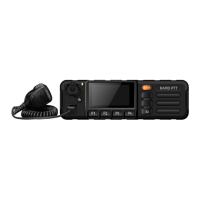

 To Next Page
 General