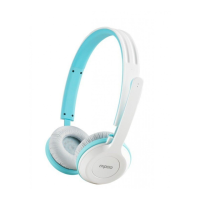
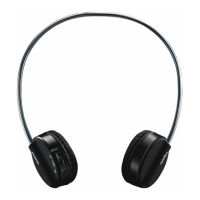
Need help?
Do you have a question about the Rapoo H3050 and is the answer not in the manual?
Lists headset, transmitter, cables and describes charging process.
Connect transmitter, power on headset, LED indicators for connection.
Connect headset via 3.5mm audio cable; recommended to turn off headset.
Steps to set the headset as default audio device for playback/recording.
Steps to set the headset as default audio device in Windows XP.
Solutions for no audio output, including charging and default device settings.
Solutions for others not hearing you, adjusting mic volume and software settings.
Addresses poor sound quality, suggesting range and interference checks.
Explains sound dropouts when changing volume, suggesting media player volume control.
Explains that headset volume control does not work in wired mode.
Addresses issues like the ear cover not rotating, providing a solution.
Details on hazardous substances in product components according to Chinese regulations.
One-year limited hardware warranty details and terms.
Statement on equipment tested and found to comply with FCC limits for digital devices.
Statement on equipment compliance with Industry Canada licence-exempt RSS standards.
Statement on low-power radio-frequency devices according to Taiwanese regulations.
 General
| Type | On-ear |
|---|---|
| Driver Size | 40 mm |
| Frequency Response | 20Hz - 20kHz |
| Operating Distance | Up to 10 meters |
| Impedance | 32 Ω |
| Microphone | Yes |
| Microphone Frequency Response | 100 Hz - 10 kHz |
| Microphone Sensitivity | -42 dB |
| Connectivity | 2.4 GHz Wireless |
| Battery | Lithium Polymer |


 To Next Page