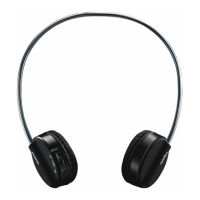
Need help?
Do you have a question about the Rapoo H8030 and is the answer not in the manual?
Configure audio playback devices within the Volume Mixer in Windows 7/Vista.
Select and configure recording devices in the Sound control panel for Windows 7/Vista.
Fine-tune microphone settings like levels in the Microphone Properties dialog.
Adjust device volume and speaker settings in Windows XP's Sound Properties.
Configure voice playback and recording devices in Windows XP.
Manage wave input volume and balance for audio devices in Windows XP.
Identify headset, transmitter, and USB charging cable components.
Instructions for fully charging the headset before first use.
Steps to connect the transmitter and power on the headset.
Solutions for no sound, low microphone volume, or mute problems.
Addresses bad sound quality, dropouts, and music selection issues.
Guidance for resolving issues with the headset's touchpad.

 To Next Page
 General