Need help?
Do you have a question about the Rapoo V210 and is the answer not in the manual?
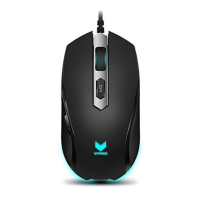
Identifies the left mouse button for primary functions.
Explains the function of the DPI adjustment button.
 General
| Type | Gaming Mouse |
|---|---|
| Buttons | 6 |
| Connection | Wired |
| Compatibility | Windows XP/Vista/7/8/10 |
| Tracking Method | Optical |
| Sensor Type | Optical |
| Connection Type | USB |
| Cable Length | 1.8 m |
| Polling Rate | 1000 Hz |
| Color | Black |
| DPI | 3000 |
| Lighting | RGB |

 To Next Page