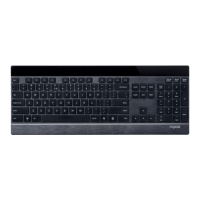
Guide de démarrage rapide
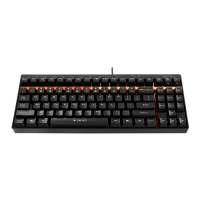
Backlit Mechanical Gaming Keyboard
V500L
Windows lock key/ Windows-Sperrtaste/ Touche de verrouillage Windows/ Blocco tasti di Windows/ Tecla de
bloqueo de Windows/ Windows-vergrendeltoets/ Tecla de bloqueio do Windows/
Windows/ Windows
Scroll Lock indicator/ Rollen-Anzeige/ ndicateur verrouillage délement/ ndicatore blocco
scorrimento/ ndicador Bloq Despl/ Scroll Lock-indicator/ ndicador de Scroll Lock
(Bloqueio de deslocamento)/ Scroll Lock /
Caps Lock indicator/ Großschreibung-Anzeige/ ndicateur verrouillage majuscules/ ndicatore
blocco maiuscole/ ndicador Bloq Mayús/ Caps Lock-indicator/ ndicador de Caps Lock
(Bloquei de maiúsculas)/ Caps Lock /
Num Lock indicator/ Num-Anzeige/ ndicateur verrouillage numérique/ ndicatore blocco numeri/ ndicador
Bloq Num/ Num Lock-indicator/ ndicador de Num Lock (Bloqueio do teclado numérico)/ Num
Lock /
always press the Windows key while gaming.
Press FN key and WN key simultaneously to lock the WN key and prevent accidental activations.
ch komme beim Spielen ständig auf die Windows-Taste.
Durch gleichzeitige Betätigung von Fn- und Win-Taste können Sie die Win-Taste sperren und
eine versehentliche Aktivierung verhindern.
J'appuie toujours sur la touche Windows quand je joue.
Appuyez simultanément sur les touches FN et WN pour verrouiller la touche WN et empêcher les activations
accidentelles.
Premo sempre il tasto Windows durante il gioco.
Premere contemporaneamente i tasti FN e WN per bloccare il tasto WN ed evitare attivazioni accidentali.
Siempre presiono la tecla Windows durante el juego.
Presione las teclas FN y WN simultáneamente para bloquear la tecla WN y evitar activaciones accidentales.
k druk altijd op de Windows-toets tijdens het spelen van spelletjes.
Druk tegelijkertijd op de toets FN en WN voor het vergrendelen van de toets WN en het voorkomen van
onbedoelde activeringen.
Pressiono sempre a tecla Windows enquanto estou a jogar.
Pressione as teclas FN e WN em simultâneo para bloquear a tecla WN e impedir ativações acidentais.
Windows.
FN WN, WN
.
Windows .
FN WN , WN .
Overview/ Überblick/ Vue d'ensemble/ Descrizione/ Visión general/ Overzicht/
Apresentação/ /
Troubleshooting/ Problemlösung/ Dépannage/ Risoluzione dei problemi/ Solucionar
problemas/ Problemen oplossen/ Resolução de problemas/ /
Fn+Esc= Backlight switch & Breathing backlight key
Fn+F1= My PC
Fn+F2= Search key
Fn+F3= Calculator
Fn+F4= Media Player
Fn+F5= Previous Music
Fn+F6= Next music
Fn+F7= Play / Pause
Fn+F8= Halt key
Fn+F9= Mute key
Fn+F10= Volume -
Fn+F11= Volume +
Fn+↓= Brightness-
Fn+↑= Brightness+
Fn+←= Breathing rate -
Fn+→= Breathing rate +
Fn+Win= Windows lock key
Fn+Esc= Botón de conmutación de retroiluminación
y retroiluminación de respiración
Fn+F1= Mi PC
Fn+F2= Tecla Buscar
Fn+F3= Calculadora
Fn+F4= Reproductor multimedia
Fn+F5= Música anterior
Fn+F6= Música siguiente
Fn+F7= Reproducir/Pausar
Fn+F8= Tecla Detener
Fn+F9= Tecla Silencio
Fn+F10= Volumen -
Fn+F11= Volumen +
Fn+↓= Brillo-
Fn+↑= Brillo+
Fn+←= Tasa de respiración -
Fn+→= Tasa de respiración +
Fn+Win= Tecla de bloqueo de Windows
Fn+Esc=
Fn+F1=
Fn+F2=
Fn+F3=
Fn+F4=
Fn+F5=
Fn+F6=
Fn+F7= /
Fn+F8=
Fn+F9= " "
Fn+F10= -
Fn+F11= +
Fn+↓= -
Fn+↑= +
Fn+←= -
Fn+→= +
Fn+Win= Windows
Fn+Esc= Schakelaar achtergrondverlichting &
ademende achtergrondverlichtingtoets
Fn+F1= Mijn PC
Fn+F2= Zoektoets
Fn+F3= Rekenmachine
Fn+F4= Mediaspeler
Fn+F5= Vorige muziek
Fn+F6= Volgende muziek
Fn+F7= Afspelen / Pauzeren
Fn+F8= Stoptoets
Fn+F9= Demptoets
Fn+F10= Volume -
Fn+F11= Volume +
Fn+↓= Helderheid -
Fn+↑= Helderheid +
Fn+←= Ademsnelheid -
Fn+→= Ademsnelheid +
Fn+Win= Windows-vergrendeltoets
Fn+Esc=
Fn+F1=
Fn+F2=
Fn+F3=
Fn+F4=
Fn+F5=
Fn+F6=
Fn+F7= /
Fn+F8=
Fn+F9=
Fn+F10= -
Fn+F11= +
Fn+↓= -
Fn+↑= +
Fn+←= -
Fn+→= +
Fn+Win= Windows
Fn+Esc= nterruptor de retroiluminação e
tecla de intermitência
Fn+F1= O meu PC
Fn+F2= Tecla de pesquisa
Fn+F3= Calculadora
Fn+F4= Leitor multimédia
Fn+F5= Música anterior
Fn+F6= Música seguinte
Fn+F7= Reproduzir/pausa
Fn+F8= Tecla Parar
Fn+F9= Tecla de interrupção do som
Fn+F10= Volume -
Fn+F11= Volume +
Fn+↓= Brilho -
Fn+↑= Brilho +
Fn+←= Velocidade de intermitência -
Fn+→= Velocidade de intermitência +
Fn+Win= Tecla de bloqueio do Windows
Fn+Esc= Taste für Hintergrundbeleuchtungswechsel
und pulsierende Hintergrundbeleuchtung
Fn+F1= Mein PC
Fn+F2= Suchtaste
Fn+F3= Rechner
Fn+F4= Medienplayer
Fn+F5= Vorheriger Titel
Fn+F6= Nächster Titel
Fn+F7= Wiedergabe/Pause
Fn+F8= Pause-Taste
Fn+F9= Stumm-Taste
Fn+F10= Lautstärke -
Fn+F11= Lautstärke +
Fn+↓= Helligkeit -
Fn+↑= Helligkeit +
Fn+←= Pulsgeschwindigkeit -
Fn+→= Pulsgeschwindigkeit +
Fn+Win= Windows-Sperrtaste
Fn+Esc= Interrupteur de rétroéclairage et touche
de rétroéclairage à respiration
Fn+F1= Mon PC
Fn+F2= Touche Rechercher
Fn+F3= Calculatrice
Fn+F4= Lecteur multimédia
Fn+F5= Musique précédente
Fn+F6= Musique suivante
Fn+F7= Lecture / Pause
Fn+F8= Touche Interruption
Fn+F9= Touche Muet
Fn+F10= Volume -
Fn+F11= Volume +
Fn+↓= Luminosité -
Fn+↑= Luminosité +
Fn+←= Rythme de respiration -
Fn+→= Rythme de respiration +
Fn+Win= Touche de verrouillage Windows
Fn+Esc= nterruttore di retroilluminazione e tasto
di retroilluminazione lampeggiante
Fn+F1= l mio PC
Fn+F2= Tasto di ricerca
Fn+F3= Calcolatrice
Fn+F4= Lettore multimediale
Fn+F5= Musica precedente
Fn+F6= Musica successiva
Fn+F7= Riproduzione/Pausa
Fn+F8= Tasto di arresto
Fn+F9= Tasto di disattivazione audio
Fn+F10= Volume -
Fn+F11= Volume +
Fn+↓= Luminosità-
Fn+↑= Luminosità+
Fn+←= Frequenza di lampeggio -
Fn+→= Frequenza di lampeggio +
Fn+Win= Blocco tasti di Windows

 Need help?

 To Next Page
 General