150 COMMANDCENTER SECURE GATEWAY ADMINISTRATOR GUIDE
Locked Out Users Report
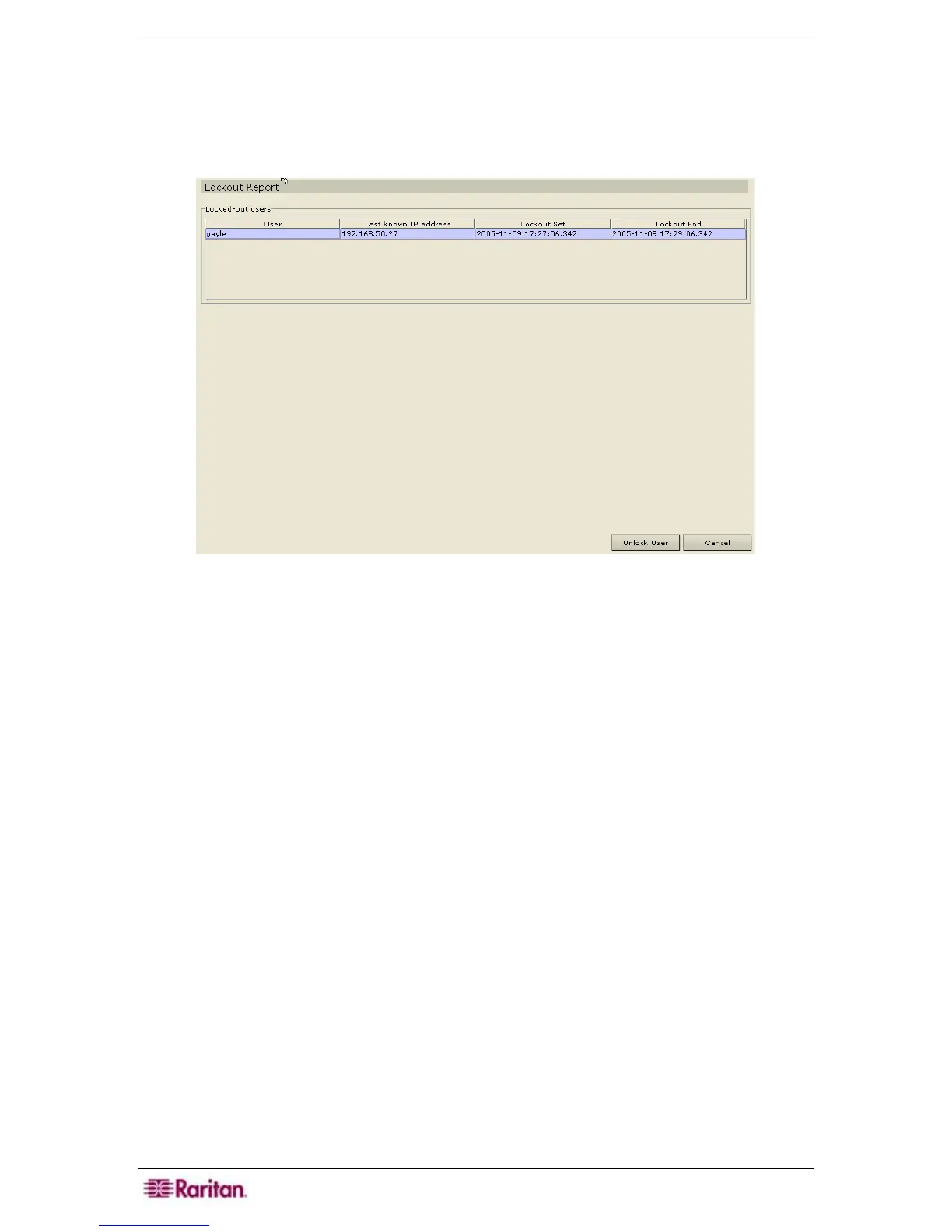
The Locked Out Users report displays users who are currently locked out of CC-SG. You can
unlock them from this report.
1. On the Reports menu, click Locked Out Users.
Figure 178 Locked Out Users Report
2. Highlight the user you want to unlock and click Unlock User. An email notification is sent to
the email address that was specified during lockout configuration. For more information on
how to enable lockout, please see section
Enable User Lockout in Chapter 12: Advanced
Administration.


 To Next Page