174 COMMANDCENTER SECURE GATEWAY ADMINISTRATOR GUIDE
Device Settings
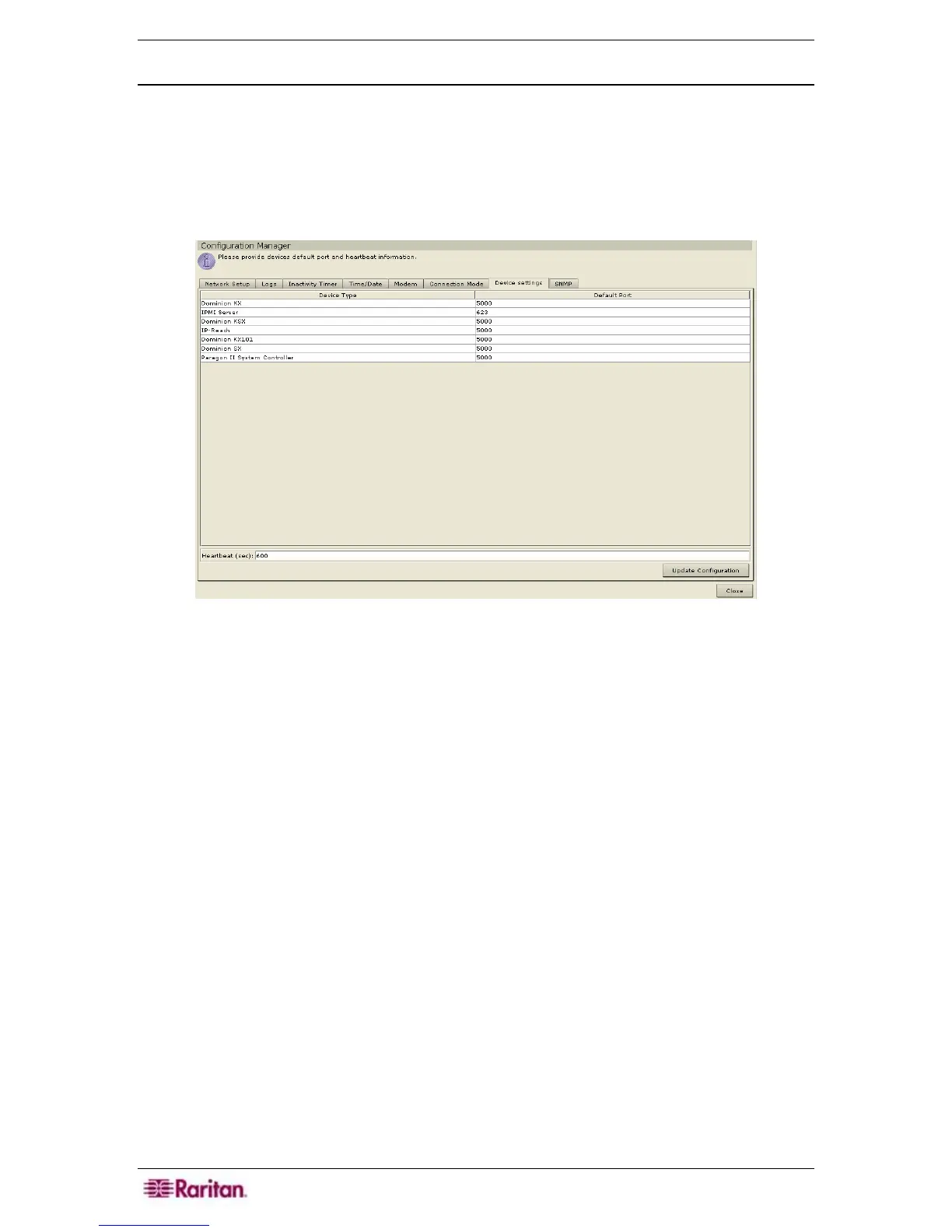
1. On the Setup menu, click Configuration Manager. When the Configuration Manager
screen appears, click on the Device Settings tab.
2. To update device Default Port, select a Device Type in the table and double-click on the
Default Port value. Type the new Default Port value and press the Enter key.
3. To update device timeout duration, double-click on the Heartbeat (sec) value at the bottom of
the screen. Type new timeout duration for this device.
Figure 211 Configuration Settings Device Settings Screen
4. Click Update Configuration to save the new device values. You may have to scroll down
the screen to view the Update button. A success message will appear to confirm the update of
all associated device settings.
5. Click Close.


 To Next Page