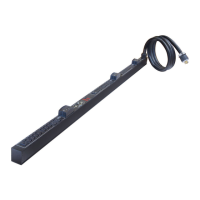
Raritan PX Quick Setup Guide 2
QSG-DPX2-1B-v3.3.10-E 255-80-6099-00 RoHS
humidity. Allow sufficient space around the device for
cabling and outlet connections. Safety instructions are
provided in the PX2/PX3 Online Help.
2. Fill out the Equipment Setup Worksheet found in the
PX2/PX3 Online Help. Record the model, serial number,
and use of each IT device connected to the PDU's power
outlets.
QS Rule
Mounting the PDU
Use one of the mounting methods to install your PX2/PX3 as
appropriate.
Circuit Breaker Orientation Limitation
Usually a PDU can be mounted in any orientation. However,
when mounting a PDU with circuit breakers, you must obey
these rules:
Circuit breakers CANNOT face down. For example, do not
horizontally mount a Zero U PDU with circuit breakers on
the ceiling.
If a rack is subject to shock in environments such as boats
or airplanes, the PDU CANNOT be mounted upside down.
If installed upside down, shock stress reduces the trip
point by 10%.
Note: If normally the line cord is down, upside down
means the line cord is up.
Mounting 1U or 2U Models
Using the appropriate brackets and tools, fasten the 1U or 2U
device to the rack or cabinet.
To mount the PX2/PX3 device:
1. Attach a rackmount bracket to both sides of the PX2/PX3
with the provided screws.
2. Insert the cable-support bar into rackmount brackets.
3. Secure with the provided end cap screws.
4. Fasten the rackmount brackets' ears to the rack using
your own fasteners.
Mounting Zero U Models Using Baseplate-Based
Tools
You can use one of the three baseplate-based tools to mount
the PDU: L-brackets, buttons or claw-foot brackets.
To mount Zero U models using baseplates:
1. Align the baseplates on the rear of the PX2/PX3 device.
2. Make the baseplates grasp the device lightly. Use the
included L-shaped hex key to loosen the hex socket
screws until the baseplate is "slightly" fastened.
3. Attach brackets or buttons to the baseplates.
Fasten each L-bracket or claw-foot bracket to each
baseplate with at least three screws (one through each
slot).
OR



 To Next Page