EasyManua.ls Logo

Rasonic RIC-S211E - User Manual

Rasonic RIC-S211E
30 pages
Print Icon
To Next Page IconTo Next Page
Loading...
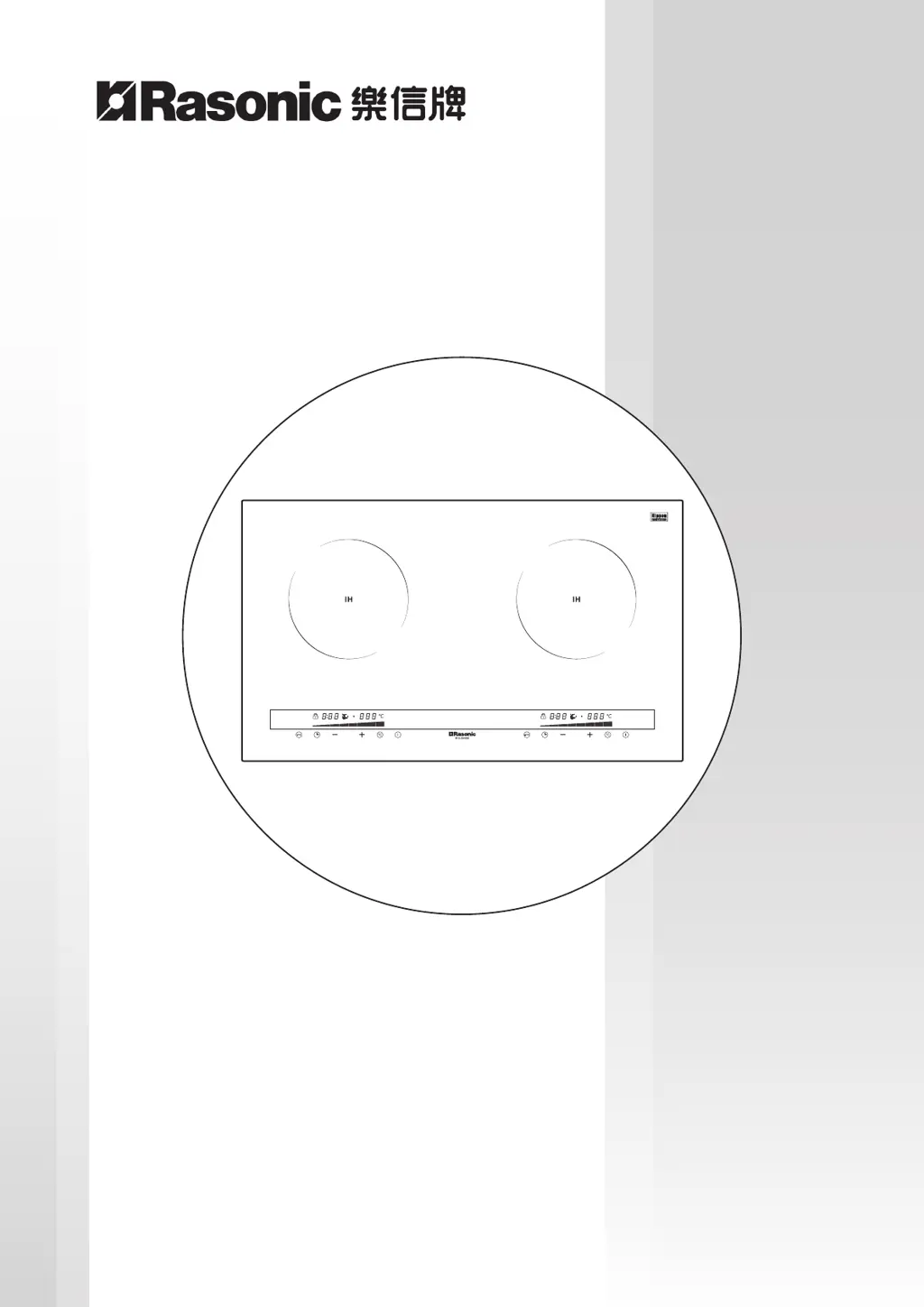
RIC-S211E / RIC-S228E
廚房專用雙頭電磁爐 Kitchen Use Double-Burner Induction Cooker
僅適用於家庭使用
For household use only
使用說明書
OPERATION MANUAL
在使用本產品前請仔細閱讀本說明書並妥善保存本說明書以備用戶日後查詢
Please read the operation manual carefully before using and well keep it in a safe place for future reference.
本說明書中的圖示可能有與實物不同的地方僅供參考
Some figures in this manual may not match with the real object, just for reference only.

Questions and Answers

  • E
    Elizabeth HuntAug 2, 2025
    Why does my Rasonic Cooker show E1 or E2 error?
    • T
      Tanner DominguezAug 2, 2025
      If your Rasonic Cooker shows an E1 or E2 error during use, it means the input voltage doesn't match what the appliance is rated for. Ensure the voltage you're using matches the voltage marked on the cooker before you continue using it.
  • V
    vpetersonAug 7, 2025
    What to do if Rasonic Cooker shows E4 error?
    • J
      James BakerAug 7, 2025
      If your Rasonic Cooker displays an E4 error, it could be due to a few reasons. First, make sure the cooker is installed correctly and has good ventilation. Check the intake and exhaust vents to ensure they aren't blocked by any dirt. If the ventilation fan isn't working, or the ambient temperature is too high, please contact Shun Hing Electric Service Centre Ltd. for checking and repairing. If it is too hot, switch off the appliance and switch on again after it is cooling down naturally.
  • M
    Morgan McgeeAug 11, 2025
    What to do if my Rasonic Cooker shows E3 error?
    • J
      Justin RobertsAug 11, 2025
      If your Rasonic Cooker displays an E3 error, it might be because the cookware is empty or the temperature of the ingredients or cookware is too high. Try adding ingredients to the cookware. If the temperature is too high, lower the power or temperature setting, or allow the appliance to cool down before switching it on again.
  • A
    Alicia NicholsAug 15, 2025
    Why is my Rasonic Cooker beeping and not heating up?
    • S
      Stacy DeanAug 15, 2025
      If your Rasonic Cooker is beeping and not heating up, it could be due to several reasons: * The cookware you're using might not be compatible. Use compatible cookware for induction cookers. * The cookware might not be centered on the cooking zone. Place the cookware in the center of the cooking zone. * You might have removed the cookware during heating. Ensure cookware is placed on the cooking zone.
  • M
    Mr. Clinton Rivera IIAug 19, 2025
    What to do if Rasonic Cooker shows E7 error?
    • U
      ufischerAug 19, 2025
      If your Rasonic Cooker displays an E7 error during normal use, it could be due to water accumulation or magnetic objects on the control panel. Wipe off any water with a soft, dry cloth. Also, remove any damp cloth or magnetic objects from the control panel.
  • D
    diane60Aug 23, 2025
    How to fix a Rasonic Cooker that has no response?
    • A
      Antonio SextonAug 23, 2025
      If your Rasonic Cooker isn't responding when you press the power button, and the control panel is dark, first check if there's a power outage. If the electricity is in suspension, wait for it to resume. Ensure the power plug is firmly connected. Also, check if the fuse has blown. If the problem persists, please contact Shun Hing Electric Service Centre Ltd. for checking and repairing.
  • O
    ohowardAug 27, 2025
    What does E5 or E6 error mean on Rasonic Cooker?
    • T
      Travis MorrisAug 27, 2025
      If your Rasonic Cooker displays an E5 or E6 error during normal use, it indicates a temperature sensor error. Contact Shun Hing Electric Service Centre Ltd. for assistance with checking and repairing.

Summary

Important Safeguards

Prevent Fire, Burns, and Electric Shocks

Covers safety precautions for operation, installation, hot surfaces, and top plate.

Critical Top Plate Warning

Specific safety warning about cracked top plates and required actions.

Cookware and Heater Safety

Precautions for using suitable cookware, deep-frying, and IH heaters.

Maintenance and Cleaning Methods

Cookware for Induction Cooker

Suitable Cookware

Criteria for selecting appropriate cookware for induction cookers, including material and shape.

Unsuitable Cookware

Types of cookware that are incompatible with induction cookers.

Product Specifications and Configuration

Product Specifications

Details on model, power, voltage, dimensions, weight, and cookware size requirements.

Product Configuration

Diagram illustrating the physical layout and components of the induction cooker.

Control Panels and Operation Instructions

Top Plate Design

Illustrations showing the top plate designs for RIC-S228E and RIC-S211E models.

Control Panel Overview

Description of indicators and keys on the control panels for both models.

Power and Temperature Controls

Explanation of how to adjust power levels and temperature settings.

Timer and Safety Lock Functions

Details on using the timer function and activating the safety lock.

Auto Shut-down and Indicators

Information on auto shut-down, cooling fan, residual heat, and error codes.

Troubleshooting and Treatment

Common Issues and Solutions

Table detailing common problems, check points, and remedies.

Error Codes

Explanation of error codes (E1-E7) and troubleshooting steps.

Special Avowal

After Sales Service

Rasonic RIC-S211E Specifications

General IconGeneral
ModelRIC-S211E
CategoryCookers
Voltage220 V
Control TypeMechanical
Non-stick Inner PotYes
Keep Warm FunctionYes
Steam FunctionYes
Frequency50 Hz

Related product manuals