Need help?
Do you have a question about the Raspberry Pi ARGON ONE Pi4 and is the answer not in the manual?
Connect Raspberry Pi to the HDMI-Audio Board and apply the Silicon Thermal Pad for proper heat dissipation.
Connect the Raspberry Pi's GPIO pins to the Power and Cooling Board, ensuring proper alignment.
Secure the assembled Raspberry Pi and HDMI-Audio Board to the top case using the shorter flat head screws provided.
Attach the bottom cover with longer round head screws and install the rubber footings for stability.
Insert the SD card, connect the HDMI cable, and plug in the power supply to complete setup.
Install the Argon ONE Pi 4 script via the terminal to enable power button and fan control features.
Details the specific functions assigned to different types of presses (short, long, double tap) of the power button.
Explains the default fan speed settings based on CPU temperature and how to reconfigure them.
Instructions for removing the Argon ONE Pi 4 script using the terminal or desktop icon.
The ARGON ONE Pi 4 is a sophisticated enclosure designed to enhance the functionality and user experience of the Raspberry Pi 4. It integrates several key features to improve cooling, power management, and accessibility, transforming the bare Raspberry Pi board into a more robust and user-friendly system.
The primary function of the ARGON ONE Pi 4 is to house and protect the Raspberry Pi 4, while simultaneously providing advanced thermal management and a refined power control system. It acts as a comprehensive solution that addresses common challenges faced by Raspberry Pi users, such as heat dissipation and convenient power cycling. The enclosure is engineered to optimize the performance and longevity of the Raspberry Pi 4 by maintaining optimal operating temperatures, even under heavy workloads. Beyond protection and cooling, it also reorganizes the Raspberry Pi's ports for easier access and offers a programmable power button for soft shutdowns, reboots, and forced shutdowns, significantly improving the overall user interaction with the device. The design also ensures that the GPIO pins remain accessible, catering to users who wish to expand their projects with external hardware.
The ARGON ONE Pi 4 is designed with ease of use and enhanced functionality in mind, offering several features that improve the daily operation of a Raspberry Pi 4.
The assembly process is straightforward, guiding the user through connecting the Raspberry Pi to an HDMI-Audio Board and a Power and Cooling Board. This modular approach simplifies the integration of the Raspberry Pi into the case. Silicon thermal pads are used to ensure efficient heat transfer from the Raspberry Pi's CPU to the case, which acts as a large heatsink. The case itself is constructed in two main parts: a top case and a bottom cover, secured with different types of screws (shorter flat head for the internal assembly and longer round head for the bottom cover). Rubber footings are also provided to prevent slipping and protect surfaces. Once assembled, the user inserts an SD card and connects HDMI and power cables. A crucial step is to press the power button to turn on the device, indicating that the power button is an integral part of the system's operation from the very beginning.
One of the standout features is the programmable power button. After installing the ARGON ONE Pi 4 script, the power button gains intelligent functionalities:
The ARGON ONE Pi 4 incorporates an active cooling system with a fan, which is crucial for maintaining optimal operating temperatures for the Raspberry Pi 4, especially during intensive tasks. The fan control is intelligent and temperature-dependent, with default settings configured upon script installation:
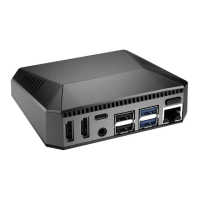
argonone-config in the terminal. This customization allows users to fine-tune the balance between cooling performance and fan noise according to their specific use case and environment.The enclosure is designed to consolidate and reorient the Raspberry Pi's ports for improved accessibility. All ports, including USB-C Power In, HDMI 0, HDMI 1, Audio/Video, 2 x USB 2.0, 2 x USB 3.0, and Gigabit Ethernet, are clearly labeled and easily reachable. A notable feature is the 40-pin GPIO access, which is often a challenge with other cases. The ARGON ONE Pi 4 provides a magnetic removable top, allowing quick and easy access to the GPIO pins for connecting HATs (Hardware Attached on Top) or other external components without fully disassembling the case. This magnetic top also covers the SD card slot, providing protection while keeping it accessible.
The ARGON ONE Pi 4 is designed for relatively low maintenance, primarily focusing on software management for its advanced features.
The core functionality of the power button and fan control relies on a dedicated script.
curl command to download and run the installation script (curl https://download.argon40.com/argon1.sh | bash). A reboot is required after installation for the changes to take effect. This script-based approach allows for easy updates and ensures compatibility with the operating system.argonone-config command in the terminal. This allows users to adjust the cooling profile as needed, which can be considered a maintenance task to optimize performance or noise levels over time.argonone-uninstall in the terminal. Similar to installation, a reboot is always recommended after any configuration changes or uninstallation to ensure the revised settings are properly applied. This provides a clean way to revert changes or prepare the system for a different setup.Physical maintenance is minimal. The case itself is durable and protects the Raspberry Pi from dust and minor impacts. The magnetic removable top allows for occasional cleaning of the GPIO area or inspection of the internal components. The use of thermal pads suggests that proper contact between the Raspberry Pi's CPU and the case's heatsink properties is crucial for cooling, and these pads are generally long-lasting. No specific instructions for cleaning the fan or internal components are provided, implying that standard electronic device cleaning practices (e.g., using compressed air for dust) would suffice if necessary. The design prioritizes passive cooling through the aluminum case, reducing reliance on the active fan for all cooling needs, which can extend the fan's lifespan and reduce the frequency of maintenance.
 General
| Product Type | Case |
|---|---|
| Compatibility | Raspberry Pi 4 Model B |
| Material | Aluminum alloy |
| Power Input | USB-C |
| Cooling | Passive and Active Cooling |
| Fan Control | Yes |
| Ports | HDMI, USB, Ethernet, GPIO |
| Power Button | Yes |
| Additional Features | LED Indicators |
| Ports Access | Accessible from the back |
| Power over Ethernet (PoE) | No |
| Assembly | Easy Assembly |

 To Next Page