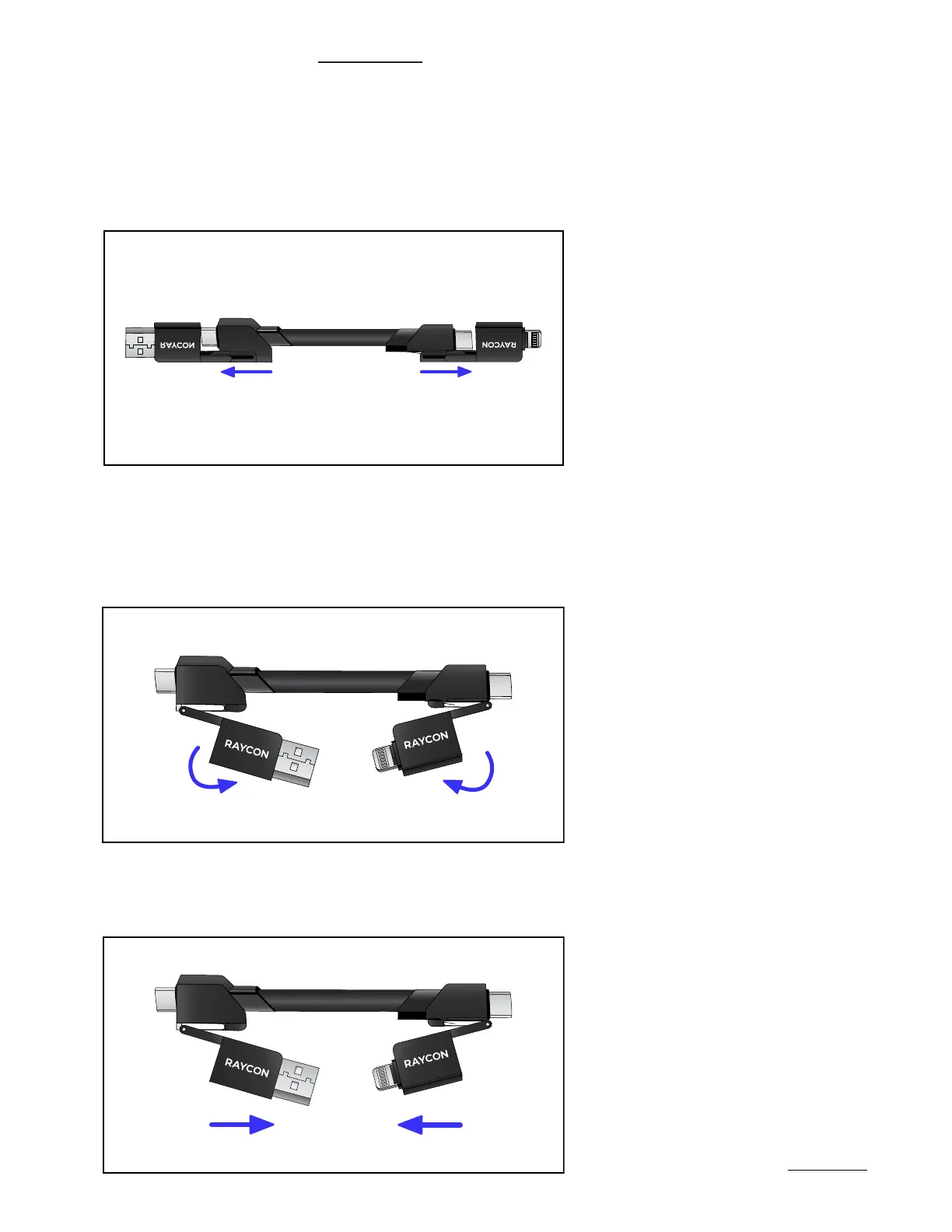
Slide the connector to the end of the cable to obtain more space and ease of use.
Pull out the appropriate connector from the central hub of the cable.
Gently hold the base of the connector and tilt the top section to the desired angle.
The top section of each connector is designed to pivot for easier access to your
device’s charging port. The pivot joint allows for a full 180-degree rotation.
1.
2.
3.
GETTING STARTED
HANDLING GUIDELINES
04


 To Next Page