Info Displays the serial number (S/N) and firmware version of the detector and the RaySafe
Solo base unit and the calibration date for the selected sensor. There is also a
possibility to reset the instrument settings to factory defaults.
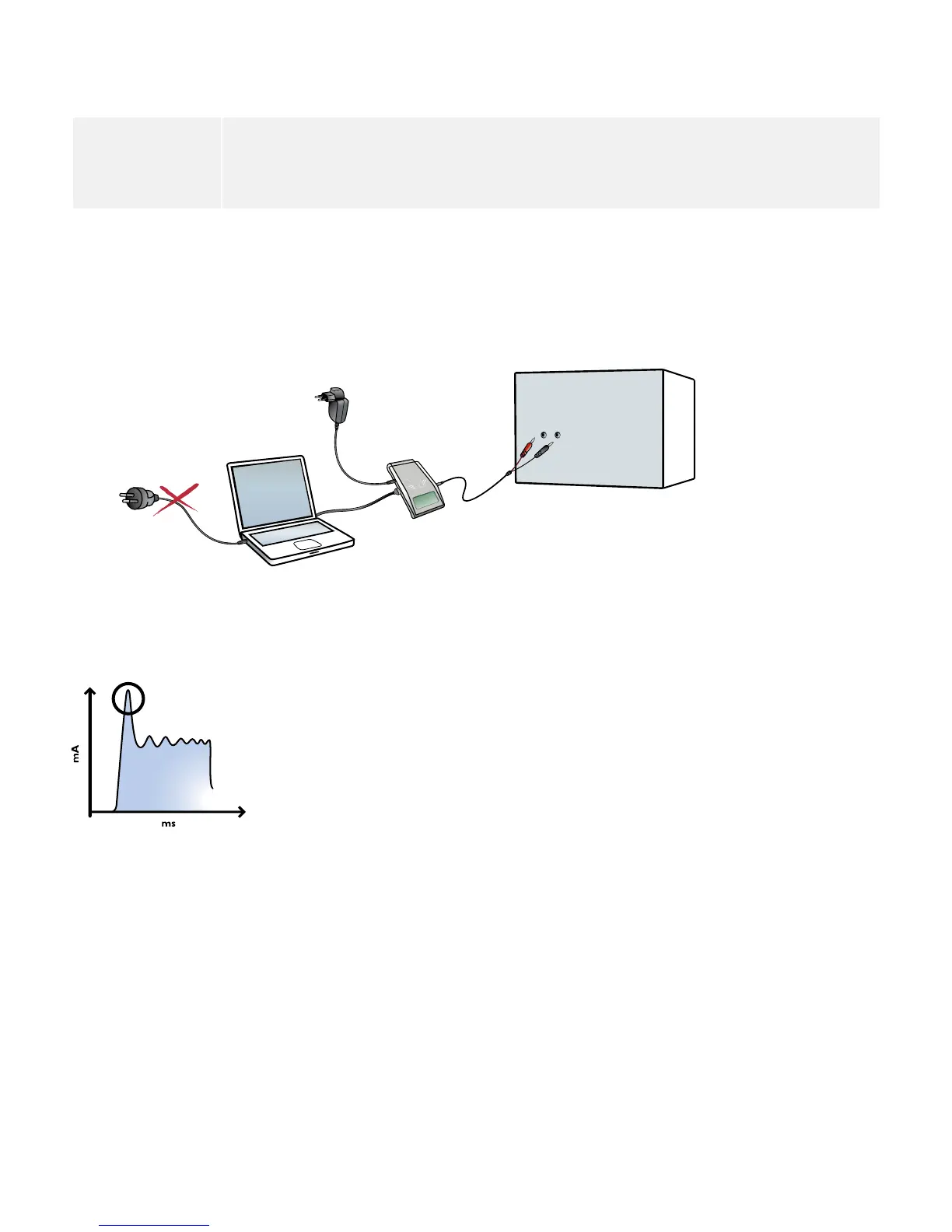
NOTE! It is recommended to use a laptop operating on battery or a Bluetooth connection when
capturing waveforms or transferring data to a computer running RaySafe Xi View. Connection
of a PC (mains supplied) via a serial cable to the RaySafe Solo base unit may create ground
currents aecting the measurement.
Be aware of rush currents (loading the capacitance in the high voltage cables) in the initial part of the exposure.
Use a Trig delay of 5 ms in the SETUP MENU to exclude the rush current from the measurement, if desired.
24
RaySafe Solo User Manual – mA/mAs Measurement


 To Next Page