xvi
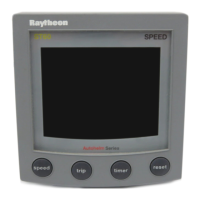
HSB Series CRT Display
GPS
Setup 6-1, 6-8
Grounding the System 8-12
Guard Zones 3-1, 3-18
Controlling Alarms 3-18, 3-21
Deleting 3-18, 3-20
Moving 3-18, 3-20
Placing 3-18, 3-19
Reshaping 3-18, 3-20
H
Half-Screen Windows. See also Window Options
Selecting 2-8
Head Up 4-2, 7-19
Heading 4-1, 4-5, 6-1, 6-6
Data Box 7-4
Heading Mode 4-2
Changing 4-1, 4-2
Course Up 4-2
Effect on VRM/EBLs 4-3
Head Up 4-2
North Up 4-2
Selecting 4-3
Heading Vector 7-17, 7-19
Help 7-4, 7-7
Help from Raytheon
Europe 9-5
US 9-3
Worldwide Support 9-5
Hiding the SHM 2-18
High Voltage i
HSB 8-22
Connection 1-4, 8-13, 8-22
Data 4-1, 5-28, 6-1, 8-22
Definition 1-3
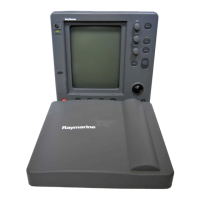
HSB Series Display Unit. See Display Unit
I
Identifying a Radar Target on the Chart Display
Sc 2-30
Identifying False Echoes 3-5
Identifying Objects 3-1. See also Cursor
Echo. See also Object Information
Indirect Echoes 3-6
Initial Setup 8-16
Inserting
a Chart Card 5-2
a Waypoint in a Route 5-21
Installation
Cable Runs 8-8
EMC Guidelines 8-2
Integrated Systems 8-2
Location 8-2
Planning 8-2
Integrated System 1-4, 5-14, 8-2, 8-30
Definition 1-3
Identifying Objects with Cursor Echo 3-1
Installation Considerations 8-2, 8-21
Power 8-12, 8-21
Switching Control Between Windows 2-11
Inter-Unit Cable 8-9
Interference Rejection 3-5, 3-11, 3-12
Interpreting and Adjusting the Radar Picture 3-
1, 3-4
J
Joining a Route 5-25
Junction Box
for External Instruments 8-28, B-1
K
Key Beep 7-4, 7-7
Keys
Dedicated 1-4, 1-13, 1-15
Soft 1-4, 1-13, 1-16, 7-4
L
Language 7-5, 7-10
LCD Display. See Display unit
Lighting Control 2-5
Local Cursor Echo 4-6, 6-7, 7-9
Location of the Display Unit 8-2
Log/Trip Data Box 7-4
M
Magnetron 2-2
Maintenance & Problem Solving 9-1–9-5
Make a Route. See Creating: a Route
Make and Follow a Route Scenario 2-26
Man Overboard (MOB). See MOB
Managing
Database Lists 5-28
Tracks 5-30, 5-31
Marks 4-1, 4-4, 5-8
Deleting 4-5
Moving 4-5
Options 7-11, 7-12
Placing 4-4
Symbol 7-11
MARKS Key 4-4, 4-5, 5-9, 5-10, 5-28, 6-6
MARPA 1-9
Database List 3-25, 3-26
Target Data Box 3-26
Master Display 1-4, 5-2, 8-22
Definition 1-3
Measuring Chart Distances Using the VRM/EBL
Key 6-1, 6-2
153_idx_3.p65 23/12/99, 09:2816


 To Next Page