31 | razer™
REASSIGNING THE TURBO BUTTONS
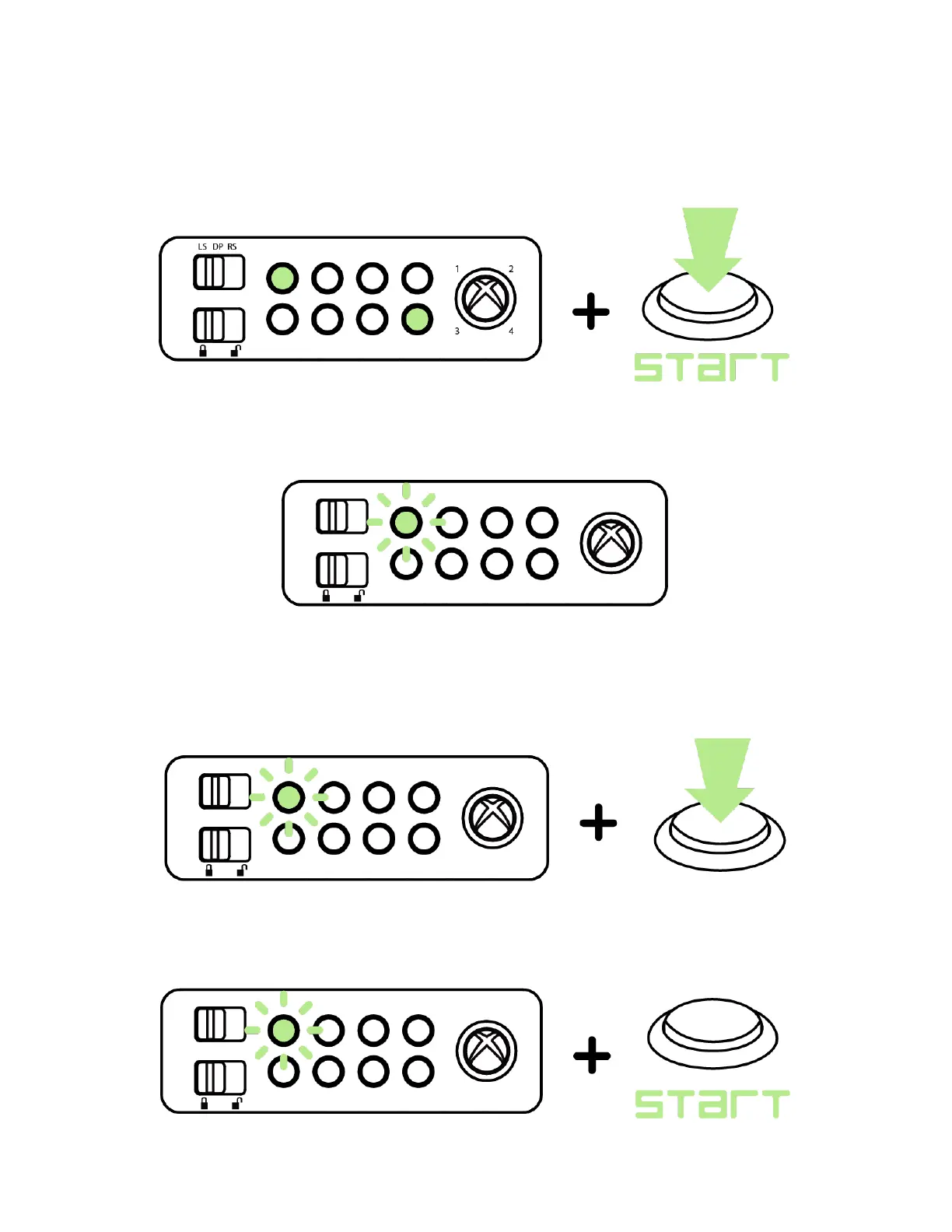
1. Press and hold Turbo Button 1, Turbo Button 8 and the Start button.
2. Upon activation, Turbo Button 1 will start to blink.
3. While the turbo button is blinking, you can either:
Press the action button you wish to assign.
OR
Press Start to skip the button assignment.


 To Next Page