C. Via Bluetooth mode
1.
2.
3.
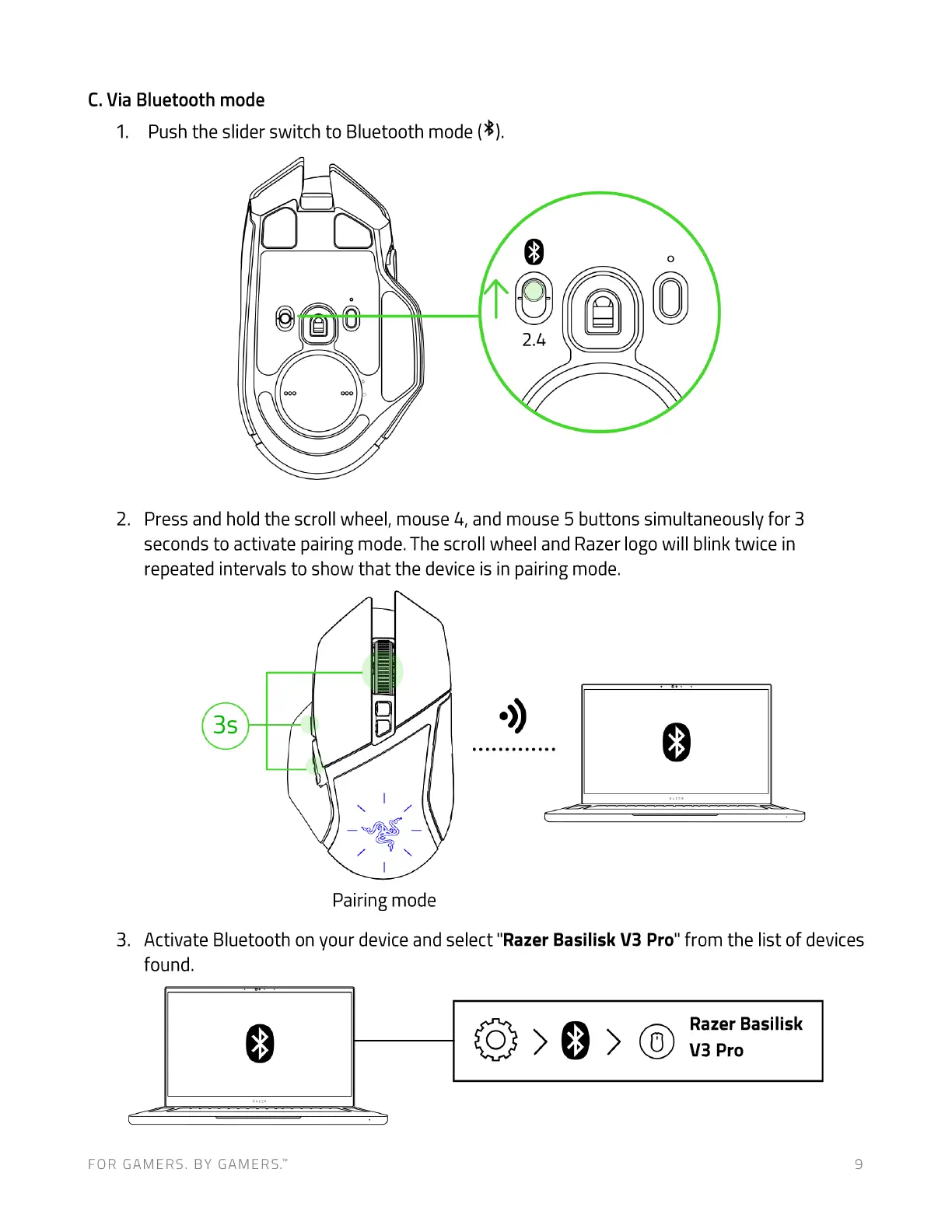
Pushthe sliderswitch to Bluetooth mode(8).
0
2.4
Press and hold the scroll wheel, mouse 4, and mouse 5 buttons simultaneously for 3
seconds to activate pairing mode. The scroll wheel and Razer logo will blink twice in
repeated intervals to show that the device is in pairing mode.
Pairing mode
Activate Bluetooth on your device and select "Razer Basilisk V3 Pro" from the list of devices
found.
FOR GAMERS. BY GAMERS.W
Razer Basilisk
V3 Pro
9











 To Next Page