If you experience any physical discomfort while using your mouse, such as pain, numbness, or
tingling in your hands, wrists, elbows, shoulders, neck, or back, please consult a qualified medical
doctor immediately.
MAINTENANCE AND USE
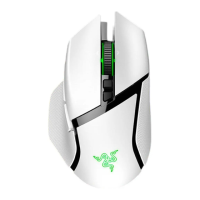
The Razer Basilisk \/3 Pro requires minimum maintenance to keep it in optimum condition. Once a
month, we recommend you unplug the device from the computer and clean it using a soft cloth or
cotton swab to prevent dirt buildup. Do not use soap or harsh cleaning agents.
To get the ultimate experience in movement and control, we highly recommend a premium mouse
mat from Razer. Some surfaces will cause undue wear on the feet requiring constant care and
eventual replacement.
Do note that the sensor of the Razer Basilisk Pro is 'tuned' or optimized, especially for the Razer
mouse mats. This means that the sensor has been tested extensively to confirm that the Razer
Basilisk V3 Pro reads and tracks best on Razer mouse mats.
BATTERY WARNING
The Razer Basilisk Pro contains a Li-ion rechargeable battery. In general, the life expectancy of
such batteries is dependent upon usage. If you suspect that the Li-ion rechargeable battery inside
the Razer Basilisk Pro may be drained (has a low charge), try charging it.
Caution: Do not open, mutilate, or expose to conducting materials (metal), moisture, liquid, fire, or
heat. Doing so may cause batteries to leak or explode, resulting in personal injury. Battery life
varies with usage.
FOR GAMERS. BY GAMERS.W 33



 To Next Page