sequence of spells can then be executed automatically with the actuation of that one button.
Can I use On-the-Fly Macro Recording without
Synapse 3?
Updated 27-Jan-2021 | Answer ID: 4063
On-the-Fly Macro Recording only works when Synapse 3 is installed and running in the background.
The system tray icon should show up in the Windows Taskbar. If you start the recording without
Synapse 3, the LED for the On-the-Fly Macro Recording will blink three times and go off instead of
remaining lit. Install Synapse 3 and allow it to run in the background to be able to use on-the-fly
macro.
To see more general FAQs for keyboards, check out Keyboards frequently asked questions.
Downloads
Razer BlackWidow V3 Manual (Chinese Traditional) – Download
Razer BlackWidow V3 Manual (Russian) – Download
Razer BlackWidow V3 Manual (Portuguese-Brazilian) – Download
Razer BlackWidow V3 Manual (Korean) – Download
Razer BlackWidow V3 Manual (Japanese) – Download
Razer BlackWidow V3 Manual (French) – Download
Razer BlackWidow V3 Manual (Spanish) – Download
Razer BlackWidow V3 Manual (German) – Download
Razer BlackWidow V3 Manual (Chinese Simplified) – Download
Razer BlackWidow V3 Manual (English) – Download
Related Manuals:
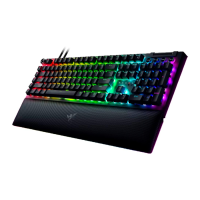
1. Razer BlackWidow V3 Pro Manual and FAQ Razer BlackWidow V3 Pro Support FAQ At a Glance: Razer...
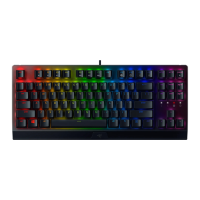
2. Razer BlackWidow V3 Tenkeyless Manual and FAQ Razer BlackWidow V3 Tenkeyless Support FAQ At
a Glance: Razer...
3. Razer Mouse Bungee V3 Chroma Manual and FAQ Razer Mouse Bungee V3 Chroma Support FAQ At a
Glance:...
4. Razer BlackWidow 2019 Firmware Updater Razer BlackWidow 2019 Firmware Updater | RZ03-02860,
RZ03-02861 Updated 24-Mar-2021 | Answer...
5. Razer Lancehead Manual and FAQ Razer Lancehead Support Common Questions Can I individually set
the...
6. Razer Manticor Manual and FAQ Razer Manticor Support Common Questions Do you have spare parts...





 To Previous Page