The overall finish can be cleaned with wipes generally used for cleaning your computer monitor or
sunglasses. Ensure that the surface is free of large dust particles or debris before wiping the surface
with any product. Wiping debris into the surface can lead to minor scratches on the surface of the unit.
If you wish to clean under the key caps, Razer suggests holding the unit upside down and/or using
compressed air from a can. We do not recommend removing the keycaps from your mechanical
switches.
We suggest unplugging the device from your computer before cleaning.
Note: Under no circumstances should you ever submerge the keyboard in any type of liquid.
Submerging the keyboard in any liquid will void the warranty on your keyboard.
How do I request replacement parts for my Razer product?
You can view our list of current spare parts and accessories at the RazerStore. If the item you need is
not listed, don’t hesitate to contact our Customer Support team.
Software
What is the difference between “driver” and “firmware” updates the Razer
Support Site?
Drivers are installed onto your computer and allow your computer to communicate with your Razer
product. Firmware updates are hardware level code to install directly onto the Razer device that can
update, fix, or change the functionality of the product.
Where can I find drivers for my Razer product?
You may find your Razer product’s drivers by going to its support page.
How do I change the language of Configurator?
The language selection is based on the driver version installed on the computer. There is no option in
the Customizer. To correct this issue, uninstall the software and download the specific drivers at
the Razer Support site. This time select the correct language of your preference when installing the
software.
To see more general faqs for peripherals, go to the KEYBOARD FAQs
View software, drivers and updates for download >
Downloads
Razer BlackWidow X Manual Master Guide (English) – Download
Razer Synapse 2.0 (PC 64-bit) – Cloud-based configurator and manager – Download
Razer Synapse 2.0 (MAC OSX 10.10-10.14) – Cloud-based configurator and manager – Download
Razer Synapse 2.0 (MAC OSX 10.9-10.13) – Cloud-based configurator and manager – Download
Razer Synapse 2.0 (MAC OSX 10.8) – Cloud-based configurator and manager- Download
Razer Synapse 2.0 (MAC OSX 10.6/10.7) – Cloud-based configurator and manager- Download
Related Manuals:
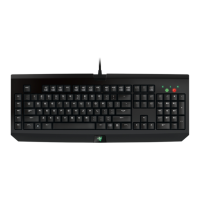
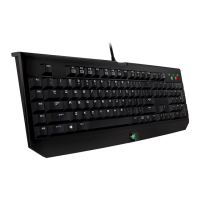
1. Razer BlackWidow Manual and FAQ Razer BlackWidow Support Common Questions What comes in the
box...
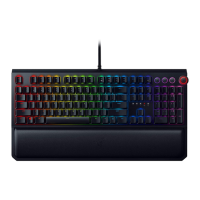
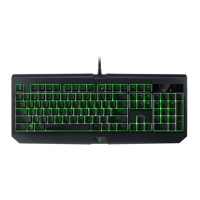
2. Razer BlackWidow Chroma Manual and FAQ Razer BlackWidow Chroma Support Common Questions






 To Next Page