EasyManua.ls Logo

Razer BlackWidow Stealth User Manual

Razer BlackWidow Stealth
26 pages
To Next Page IconTo Next Page
Page #1 background imageLoading...
Page #1 background image
1 | razer™
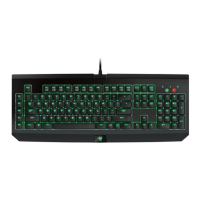
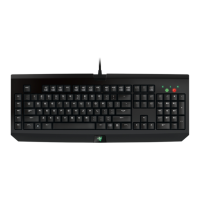
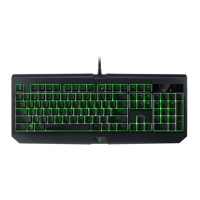
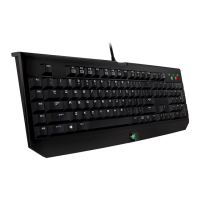
Go ninja with the all-new Razer BlackWidow Stealth. An all-new internal mechanical
key architecture has been developed in-house by elite Razer mechanical engineers
tested and validated to meet the demanding needs of the world’s best eSports
athletes.
While conventional mechanical switches are made primarily for typing, the Razer™
Mechanical Switches have been designed from the ground up specifically for gaming.
These switches offer blazing fast actuation along with incredible keystroke accuracy,
making sure you never miss a critical strike. The Razer™ Mechanical Switches are also
ultra-durable to allow up to 60 million keystrokes, as compared to the 50 million
keystrokes of other conventional mechanical switches.
The Razer BlackWidow Stealth features extreme anti-ghosting with 10 key roll-over in
gaming mode, letting you destroy the competition with as many key presses as there
are fingers on both hands.
Question and Answer IconNeed help?

Do you have a question about the Razer BlackWidow Stealth and is the answer not in the manual?

Razer BlackWidow Stealth Specifications

General IconGeneral
Actuation Force45 G
Key Travel4.0 mm
Key Lifespan80 million keystrokes
Media ControlsYes
Polling Rate1000 Hz
Switch TypeRazer Orange (Tactile & Silent)
Keyboard LayoutUS
KeycapsABS
Form FactorFull-size
ConnectivityWired
Anti-GhostingN-key rollover

Summary

Package Contents and System Requirements

Technical Specifications

Device Layout Overview

Setting Up Your Razer BlackWidow Stealth

Using Your Razer BlackWidow Stealth

Configuring Your Razer BlackWidow Stealth Edition

Keyboard Tab Overview

The Keyboard Tab is the default for customizing device profiles and key assignments in Razer Synapse 2.0.

Profile Management

Organizing custom settings into profiles, saving to cloud servers, creating, copying, importing/exporting profiles.

Customize Tab Functionality

Modify basic device functionalities like key assignments to suit gaming needs.

Key Assignment Menu Options

Details available options for reassigning keys: Default, Keyboard, Mouse, Macro, Switch Profile, Launch App, Multimedia, Shortcuts, Disable.

Lighting Tab Settings

Adjust logo brightness and enable/disable pulsating lighting effects.

Gaming Mode Tab

Customize profiles to use function keys or multimedia keys by enabling/disabling Gaming Mode.

Macros Tab for Command Creation

Create and manage sequences of precise keystrokes and button presses for commands.

Safety and Maintenance

Safety Guidelines

Guidelines for safe operation, handling, and troubleshooting of the device.

Ergonomic Comfort Tips

Advice on posture, desk setup, and breaks to prevent discomfort during use.

Maintenance and Usage

Recommendations for cleaning and maintaining the keyboard for optimal condition.

Legalese and Legal Information

Copyright and Intellectual Property

Information on Razer's trademarks, patents, and intellectual property rights.

Product Warranty and Liability

Covers limited product warranty terms and limitations of liability for product use.

Procurement Costs and General Terms

Details on Razer's liability for procurement costs and general terms of use.

Related product manuals