6 | For gamers by gamers™
5. INSTALLING YOUR RAZER BLACKWIDOW CHROMA
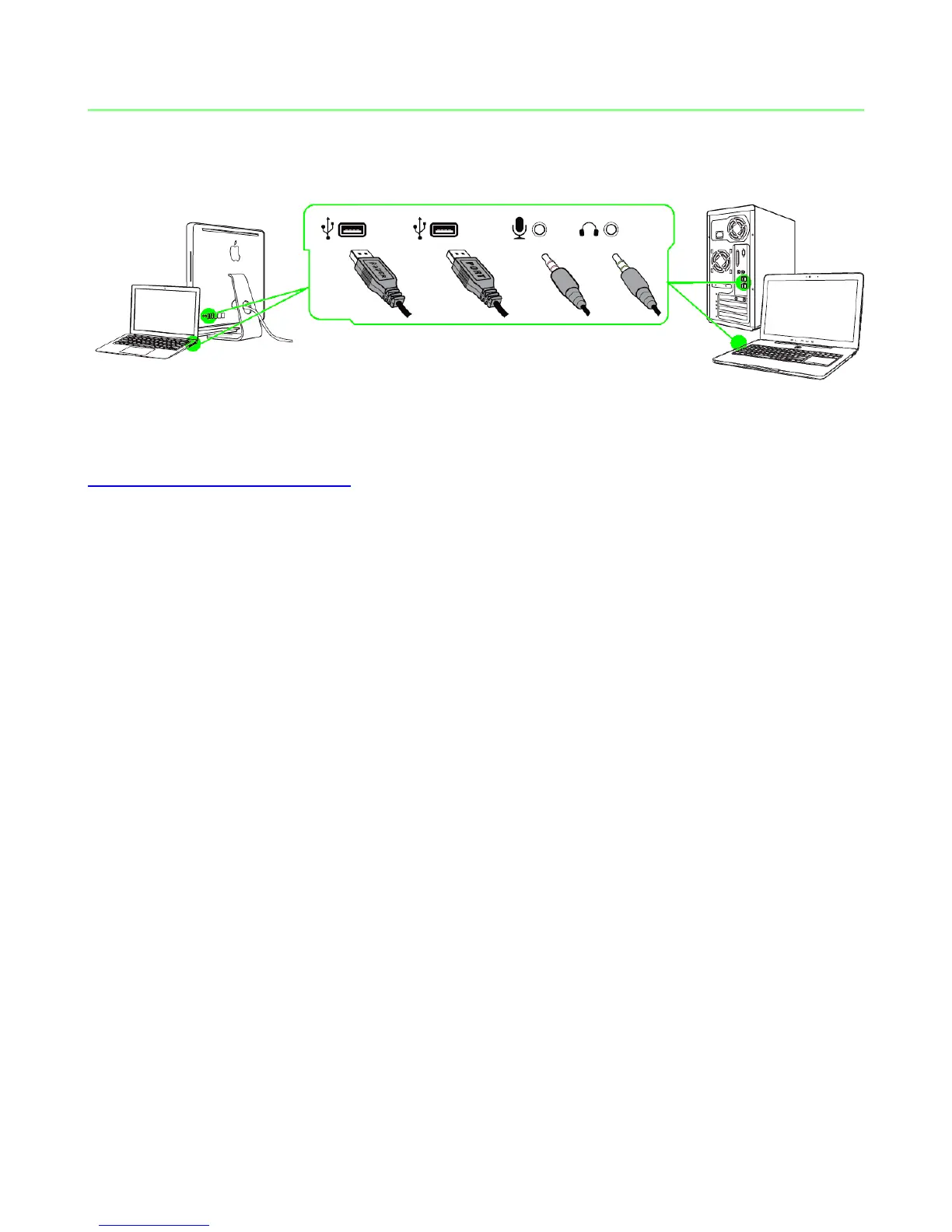
Step 1: Connect your Razer device to the USB port of your computer.
Step 2: Install Razer Synapse when prompted* or download the installer from
www.razerzone.com/synapse.
Step 3: Create your RazerID or login to Synapse with an existing account.
*Applicable for Windows 8 or later.
Note: By default, the Razer BlackWidow Chroma is set to spectrum cycling. To customize the lighting, please
install Razer Synapse.






 To Next Page