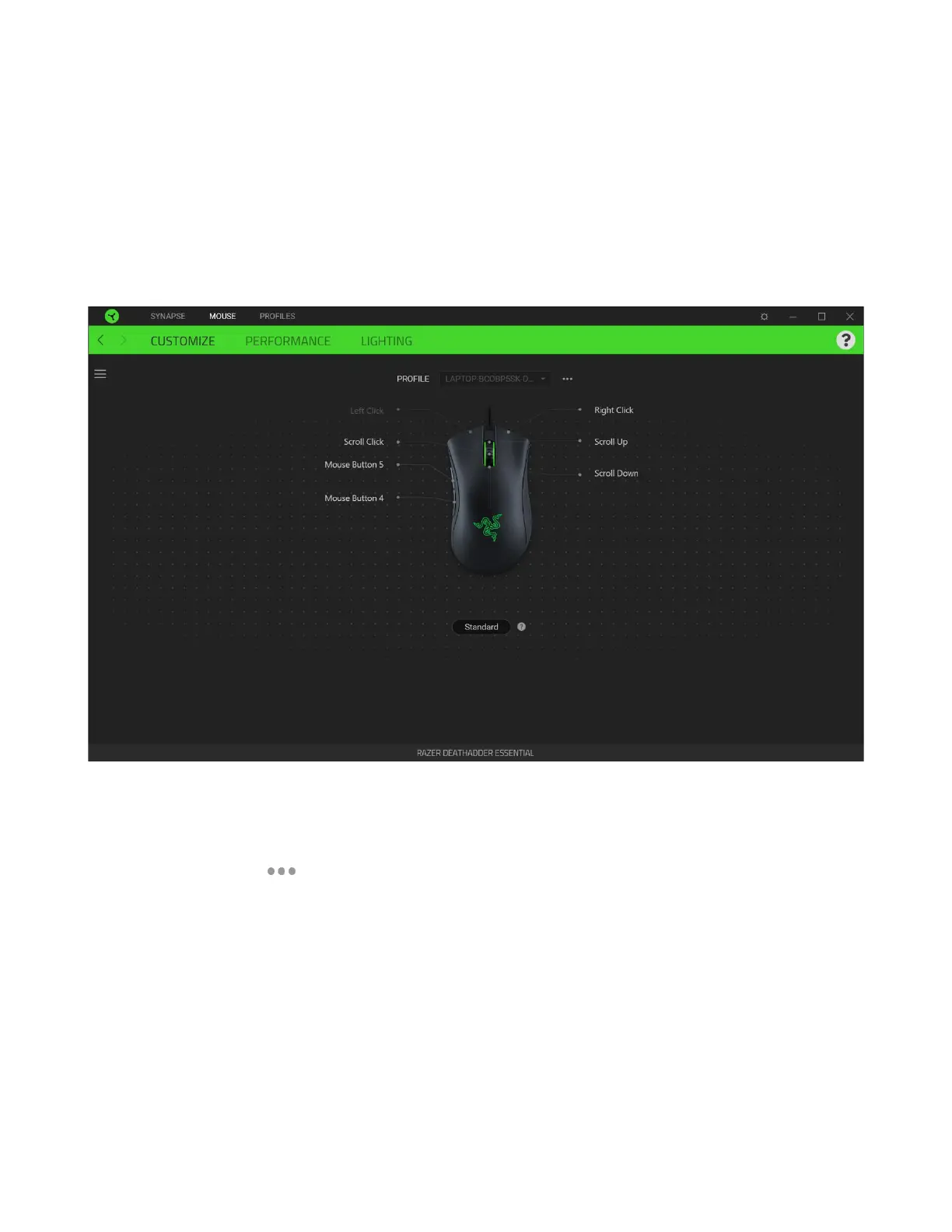
MOUSE TAB
The Mouse tab is the main tab for your Razer DeathAdder Essential. From here, you can change your
device’s settings such as button assignment, DPI sensitivity, and lighting. Changes made under this tab
are automatically saved to your system and cloud storage.
Customize
The Customize subtab is for modifying your mouse’s button assignments.
Profile
Profile is a data storage for keeping all your Razer peripheral’s settings. By default, the profile name is
based on your system’s name. To add, rename, duplicate, or delete a profile, simply press the
Miscellaneous button ( ).













 To Next Page