This option allows you to assign your preferred button to a Windows Operating System shortcut
command. For more information, please visit: support.microsoft.com/kb/126449
Text Function
Text Function enables you to type a prewritten text with a touch of a button. Simply write your
desired text on the given field, and your text will be typed whenever the assigned button is pressed.
This function has full Unicode support, and you can also insert special symbols from character maps.
Disable
This option renders the assigned button unusable. Use Disable if you do not want to use the selected
button or if it interferes with your gaming.
Performance
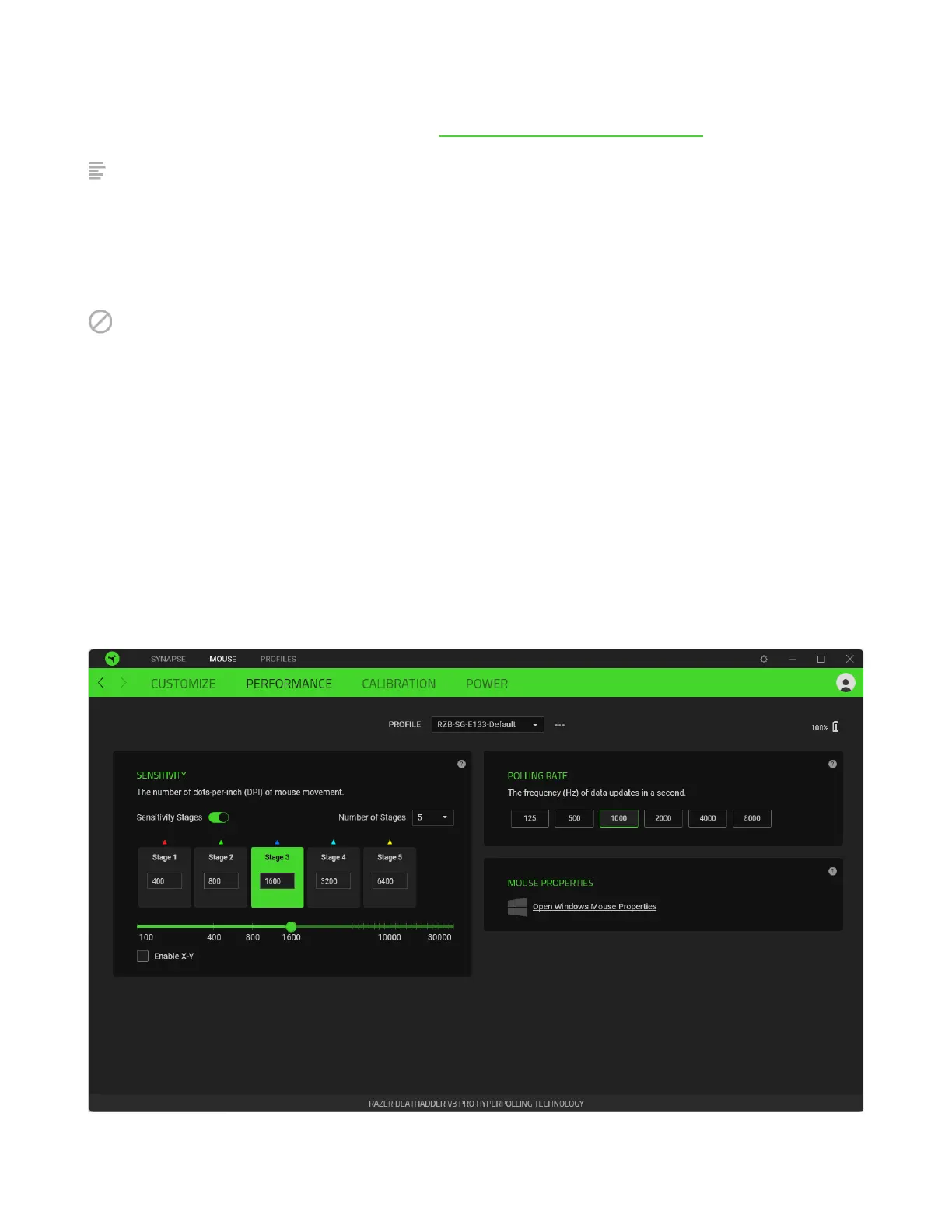
The Performance subtab allows you to modify the sensitivity, acceleration, and polling rate.













 To Next Page