Sensitivity
Sensitivity refers to the distance the cursor will travel based on how far the mouse moved. The higher
the DPI, the farther the cursor will travel, given the same mouse movement distance.
Sensitivity Stages
A sensitivity stage is a preset sensitivity value. You can create up to 5 different sensitivity stages,
which you can cycle through using the Power / DPI cycle button. You may use the Enable X-Y
concurrently with this option.
Enable X-Y
By default, the X-axis (horizontal) and Y-axis (vertical) use the same sensitivity values. However, you
may set different sensitivity values to each of the axes by selecting the Enable X-Y option.
Polling Rate
The higher the polling rate, the more often the computer receives information about the status of
your mouse, effectively reducing input latency and improving your mouse pointer's reaction time. You
can switch between 125Hz, 500Hz, 1000Hz, 2000Hz, 4000Hz and 8000Hz by selecting your desired
polling rate from the options provided.
Mouse Properties
From here, you can access the Windows Mouse Properties, where you modify operating system
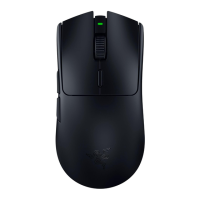
settings that can directly affect your Razer DeathAdder V3 Pro.













 To Next Page