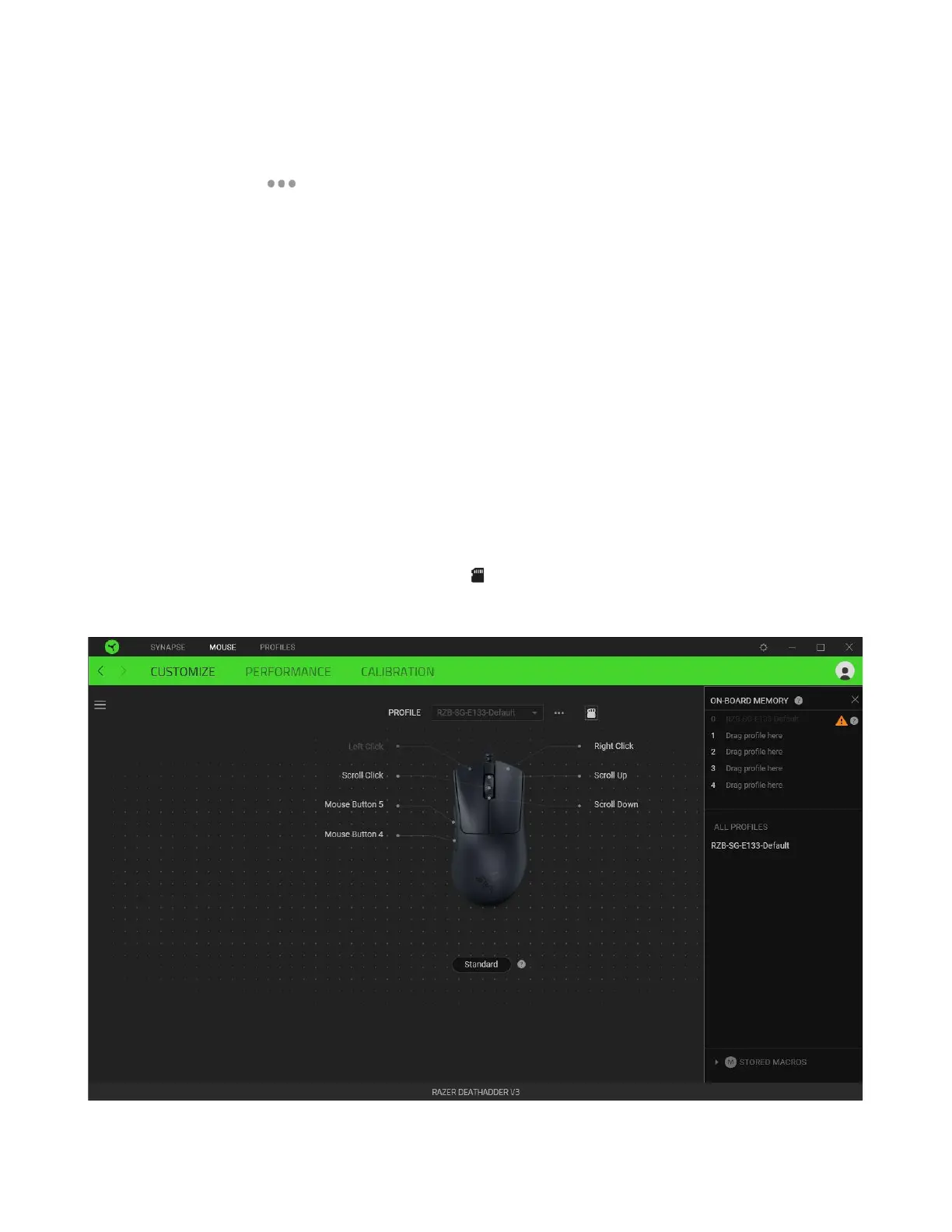
Profile
Profile is a data storage for keeping all your Razer peripheral's settings. By default, the profile name is
based on your system's name. To add, rename, duplicate, or delete a profile, simply press the
Miscellaneous button ( ).
Standard / Hypershift
Hypershift mode is a secondary set of button assignments activated when the Hypershift key is held
down. By default, the Hypershift key is assigned to the fn key of your Razer Synapse-supported
keyboard. However, you can also set any mouse button as a Hypershift key.
Stored Profiles
Your Razer DeathAdder V3 can store up to 5 profiles from the Razer Synapse app, allowing you to use
these profiles even on systems without the app installed. To assign a profile to any available on-board
memory slots, click the On-board Profiles button ( ) and drag the profile you want to assign to the
preferred memory slot.













 To Next Page