6. USING YOUR RAZER DEATHADDER V3
SWITCHING BETWEEN DPI
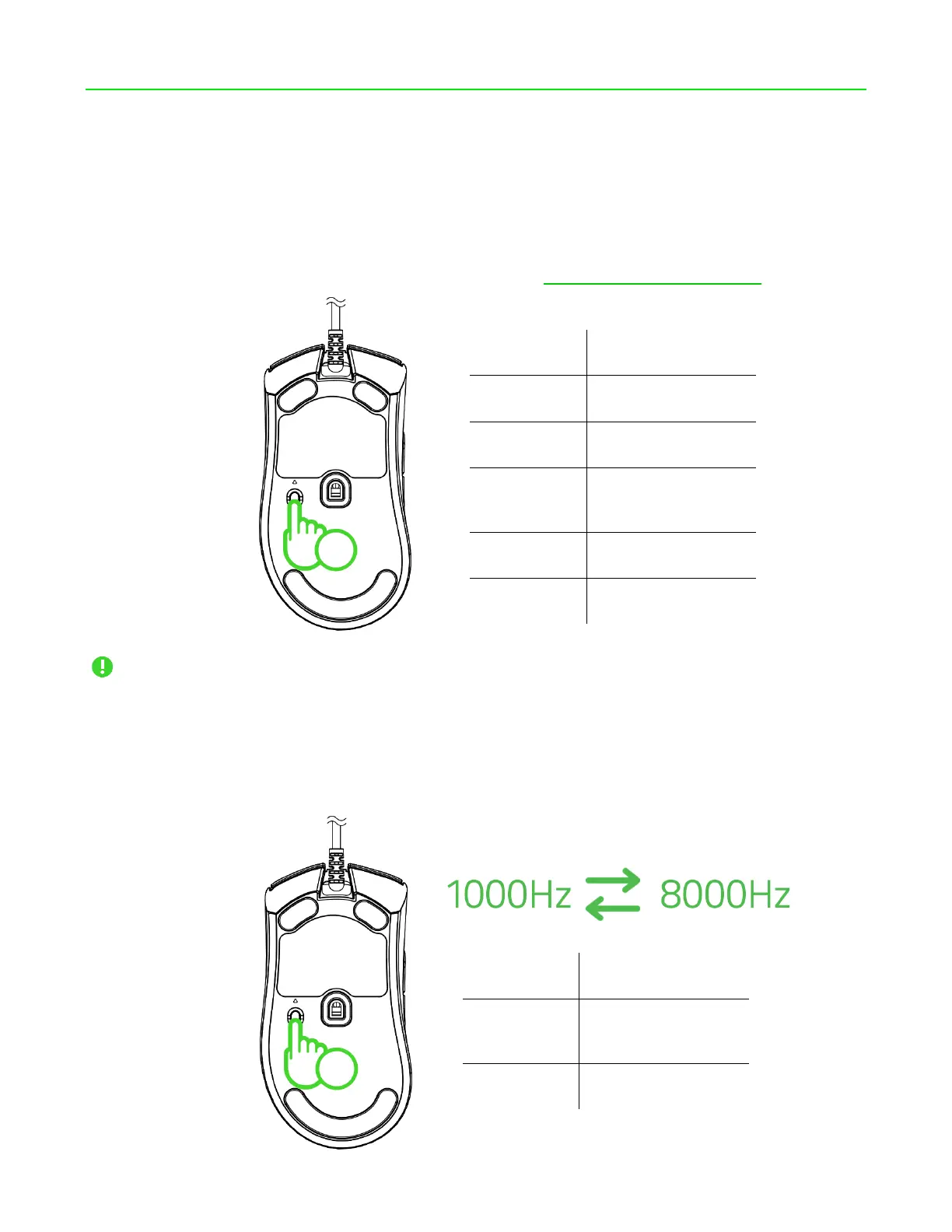
Change the mouse's DPI to match your playstyle with a press of the DPI cycle / Polling rate button or
fine-tune your own sensitivity setting using the Razer Synapse app. The Indicator LED will briefly
change its color to show which DPI stage is currently active. Learn more about Sensitivity
You can fine-tune your own sensitivity setting using the Razer Synapse app.
CHANGING THE POLLING RATE
Press and hold the DPI cycle / Polling rate button for 5 seconds to switch between 1000Hz and 8000Hz
polling rates on your mouse.













 To Next Page