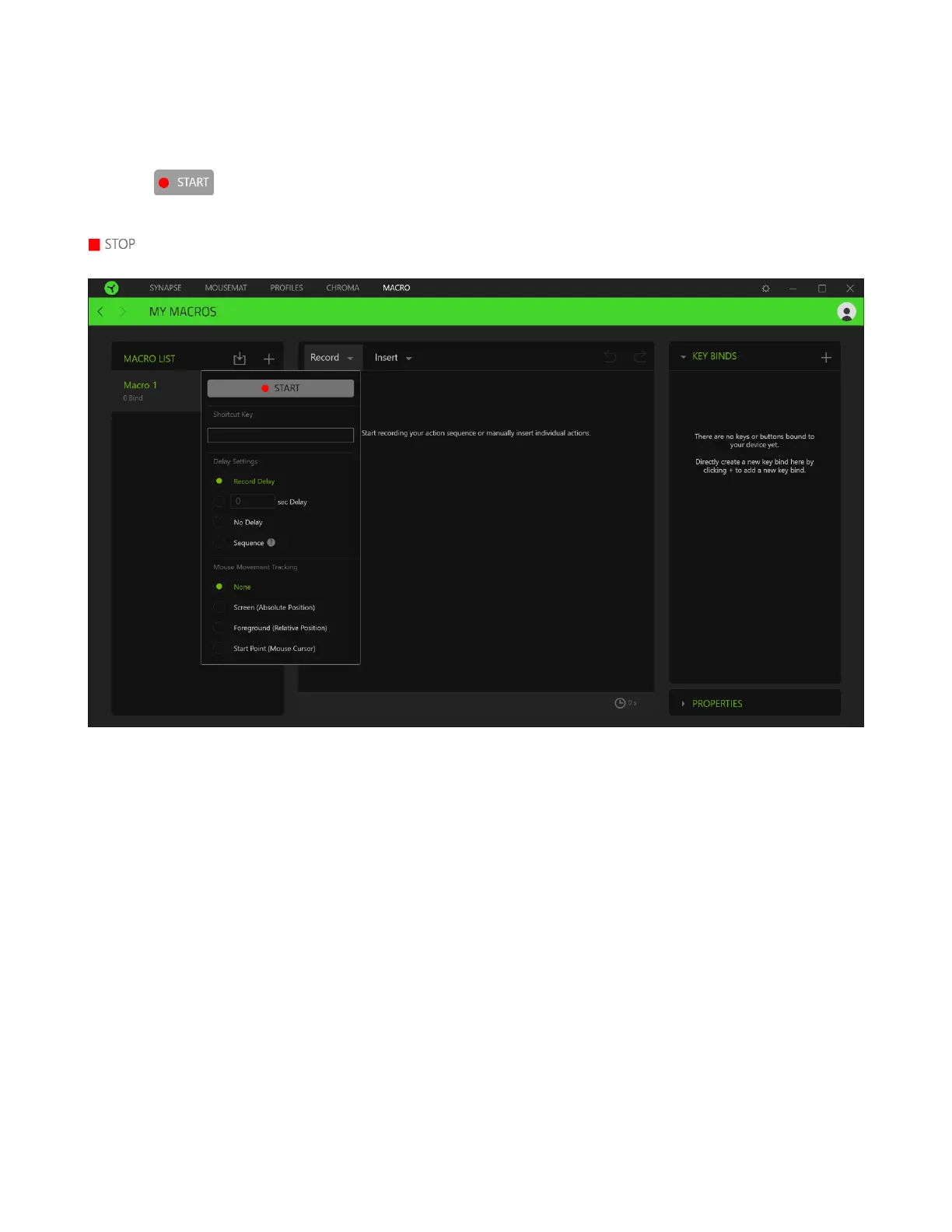
To create a macro, simply select a macro name to store your commands, then click the Record menu.
Assign a key or button for the macro on Shortcut Key field, select a delay, and select if you want to
include mouse movement tracking. Once you have chosen the settings for the macro, click the Start
button ( ). After a brief countdown, all your keystrokes and button presses will be recorded
on the macro screen. When you are done recording your macro commands, click on the Stop button (
) to end the session.













 To Next Page