
 Need help?
Do you have a question about the Razer Huntsman Elite and is the answer not in the manual?
Provides information on warranty and customer support channels.
Step-by-step guide to installing Razer Synapse 3 software.
Explains secondary features of function keys and Gaming Mode.
Details media control buttons and on-the-fly macro recording.
Explains lighting customization and available effects in Synapse 3.
General safety precautions, comfort, and ergonomic advice.
 General
| Rollover | 10-key rollover |
|---|---|
| Polling rate | 1000 Hz |
| Numeric keypad | Yes |
| Actuation force | 45 g |
| Keyboard layout | QWERTY |
| Pointing device | No |
| Device interface | USB |
| Keyboard language | Spanish |
| Recommended usage | Gaming |
| Keyboard key switch | Opto-mechanical key switch |
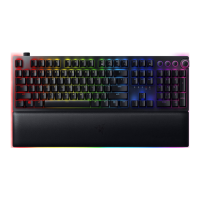
| Keyboard form factor | Full-size (100%) |
| Keyboard keys operating life | 100 million characters |
| Number of programming profiles | 5 |
| Material | Aluminium, Leatherette |
| Product color | Black |
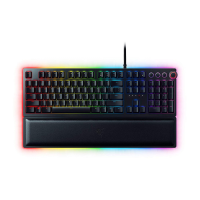
| Backlight type | RGB LED |
| Keyboard style | Straight |
| Backlight color | Multicolor |
| Number of colors | 16.8 M |
| Surface coloration | Monochromatic |
| Number of products included | 1 pc(s) |
| Compatibility | Xbox One |



 To Next Page
