PROFILES TAB
The Profiles tab is a convenient way of managing all your profiles and linking them to your games
and applications.
Devices
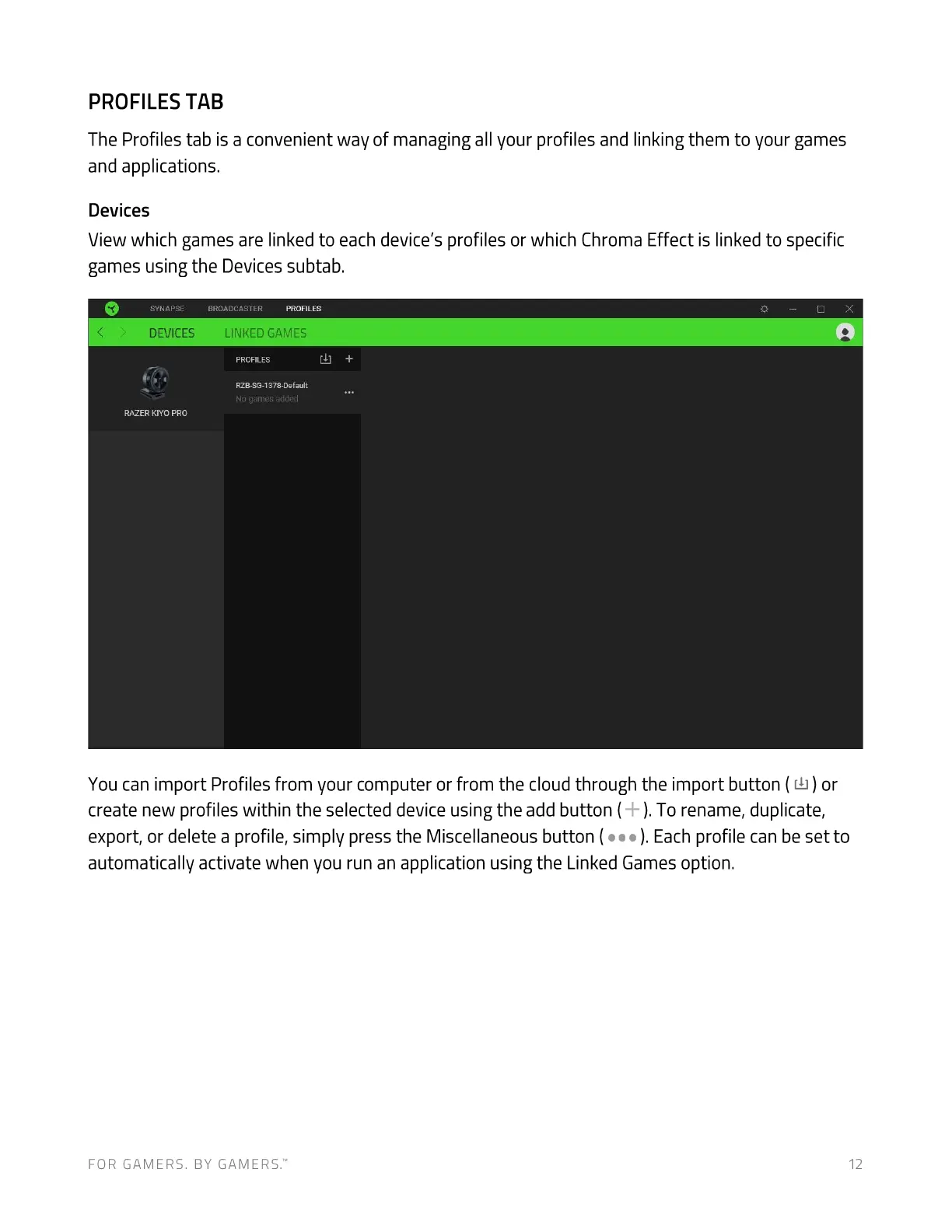
View which games are linked to each device's profiles or which Chroma Effect is linked to specific
games using the Devices subtab.
SYNAPSE
DEVICES
RAZER KIYO PRO
BROADCASTER PROFILES
LINKED GAMES
PROFILES
RZB-SG-1378-Defau1t
No games added
x
You can import Profiles from your computer or from the cloud through the import button (
Lb) or
create new profiles within the selected device using the add button ( ). To rename, duplicate,
export, or delete a profile, simply press the Miscellaneous button ( ). Each profile can be set to
automatically activate when you run an application using the Linked Games option.
FOR GAMERS. BY GAMERS.W 12


 To Next Page