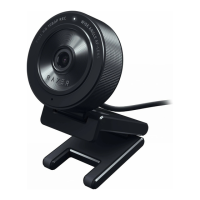
Need help?
Do you have a question about the Razer KIYO and is the answer not in the manual?
Details on connection, resolution, encoding, FOV, focus, and mounting options.
Information on illumination, color temperature, diffuser, buttons, and brightness.
Details on audio codec, polar patterns, and sensitivity.
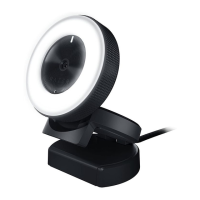
Control ring light brightness by rotating the adjustment knob clockwise or counterclockwise.
Follow guidelines to ensure maximum safety, avoid damage, and operate within temperature limits.
 General
| Megapixel | 4 MP |
|---|---|
| Auto focus | Yes |
| Camera HD type | Full HD |
| Maximum frame rate | 60 fps |
| Minimum illumination | 10 lx |
| Supported video modes | 360p, 480p, 720p, 1080p |
| Video formats supported | YUY2 |
| Maximum video resolution | 2688 x 1520 pixels |
| Still image resolution(s) | 2688 x 1520 |
| Windows operating systems supported | Windows 10, Windows 7, Windows 8, Windows 8.1 |
| Interface | USB |
| Cable length | 1.5 m |
| Mounting type | Clip/Stand |
| Product color | Black |
| Number of microphones | 1 |
| Microphone direction type | Omnidirectional |
| Minimum RAM | 500 MB |
| Package type | Box |
| Package width | 175 mm |
| Package height | 75 mm |
| Package volume | 420 cm³ |
| Package weight | 439 g |
| Country of origin | China |
| Harmonized System (HS) code | 9006990000 |
 Weight and Dimensions
| Width | 69 mm |
|---|---|
| Height | 0.48 mm |
| Weight | 390 g |

 To Next Page