5. SETTING UP YOUR RAZER KIYO
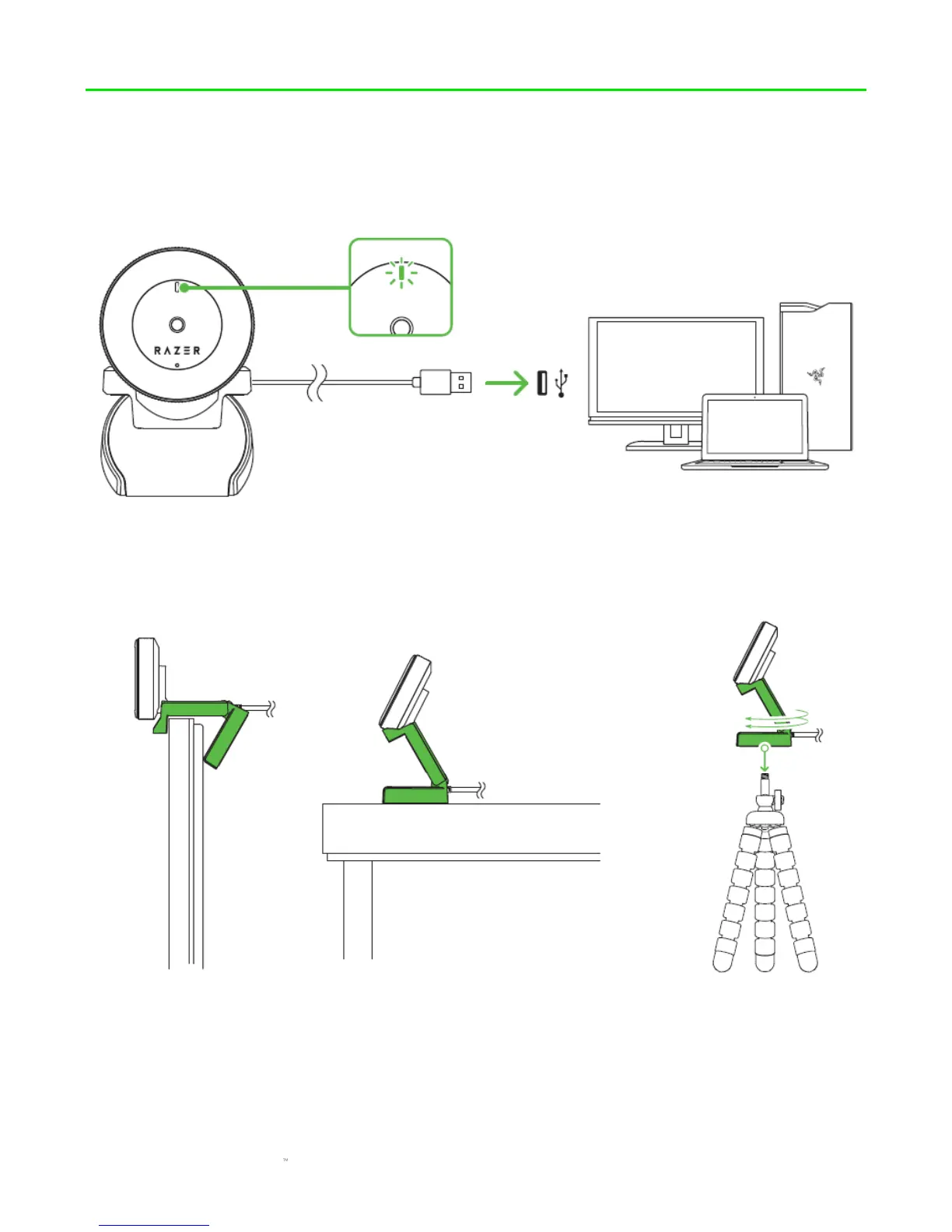
1. Connect the Razer Kiyo to the USB port of your computer. The LED indicator of your camera
will light up, indicating that the device is active.
2. Use the flexible clip to place the Razer Kiyo on top of monitors, TVs, or on almost any
surface with ease. You may also attach the Razer Kiyo to a tripod* using the thread mount
under the flexible clip. (*not included)
Note: Ensure that your position is free of clutter and moving objects. Move mirrors and other
reflective objects that are visible to the camera.


 To Next Page