4. GETTING STARTED
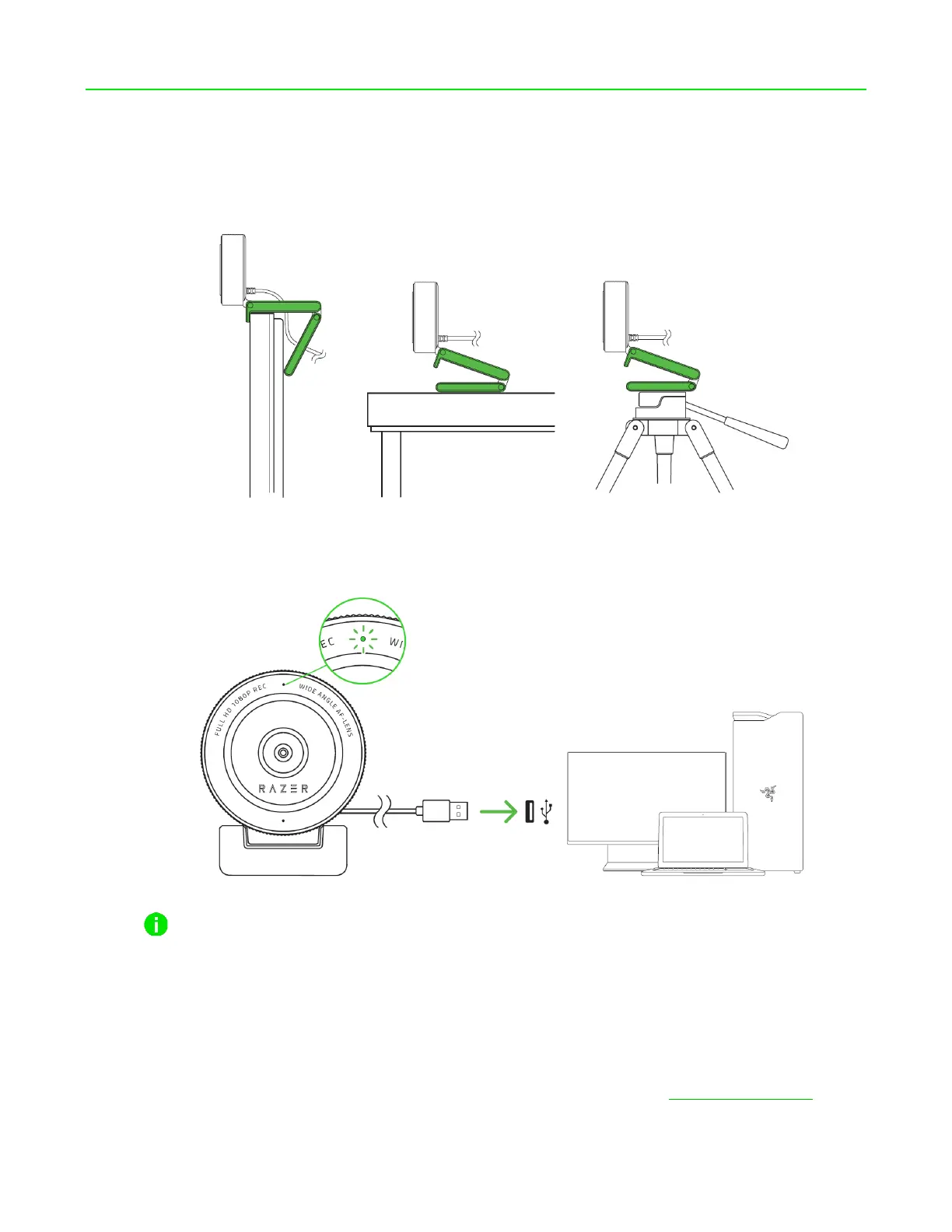
1. Depending on your setup, you may either position the camera on top of a monitor or table; or
attach the camera to a tripod* using its thread mount.
2. Connect the camera to any of the USB ports on your PC and launch any camera application.
The camera’s status indicator will light up, indicating that the device is active.
To optimize the streaming and recording performance of the camera, it’s highly
recommended that you connect it directly to your PC. Connecting the device to a USB hub,
switch or extender may affect its performance.
3. Use the Razer Synapse app to fine tune the camera’s image capture settings such as its
brightness, contrast, and much more.
*Install Razer Synapse when prompted or download its installer from razer.com/synapse


 To Next Page