PROFILE
A profile is a convenient way of organizing all your custom settings and you can have an infinite
number of profiles at your disposal. Any changes made within each tab are automatically saved to
the current profile and stored into the cloud servers.
SELECT PROFILE
Profile
PROFILE NAME
Profile
LINK PROGRAM
notepad .exe
Copy
1mport
Ex ort
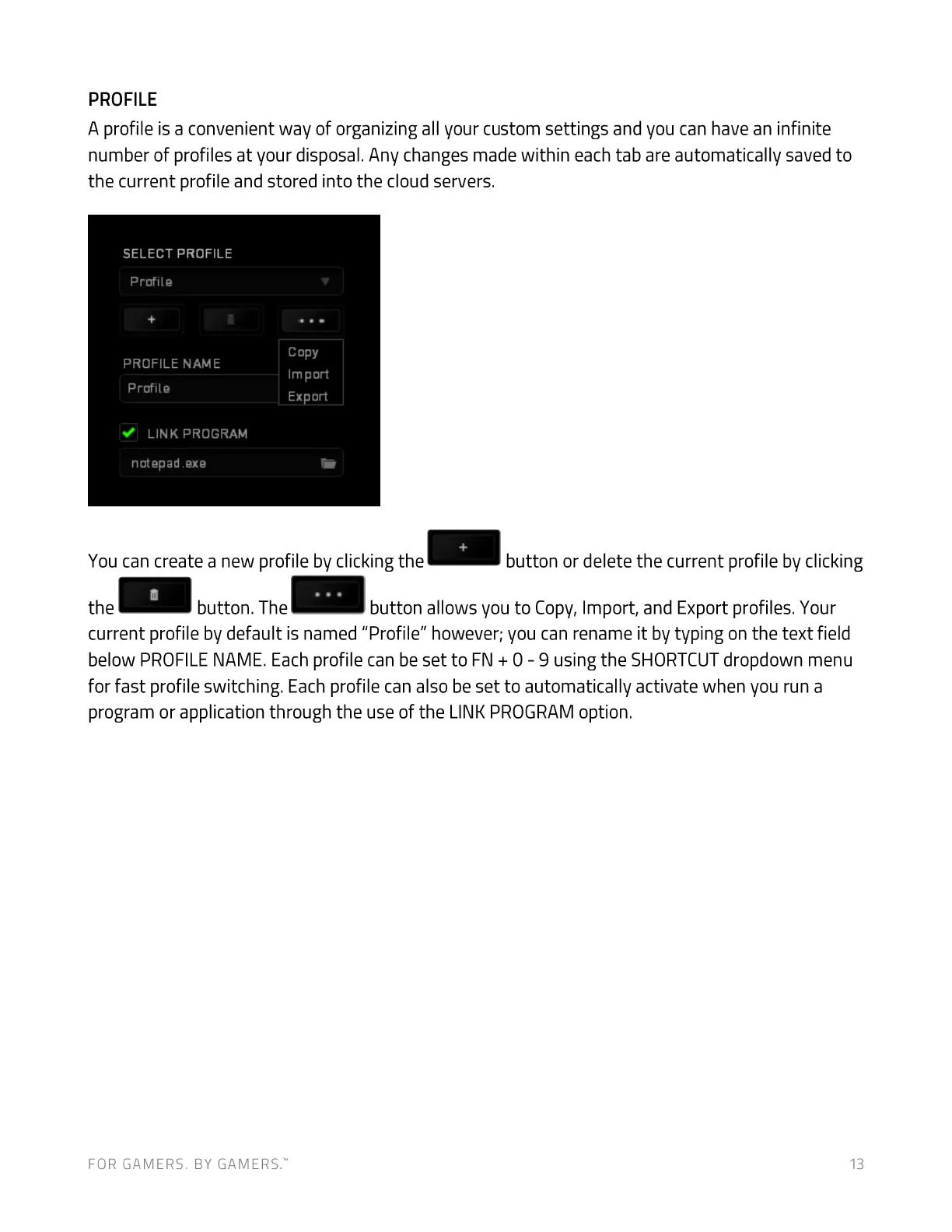
You can create a new profile by clicking the button or delete the current profile by clicking
the button. The
button allows you to Copy, Import, and Export profiles. Your
current profile by default is named "Profile" however; you can rename it by typing on the text field
below PROFILENAME. Each profile can be set to FN + O- 9 using the SHORTCUTdropdown menu
for fast profile switching. Each profile can also be set to automatically activate when you run a
program or application through the use of the LINK PROGRAM option.
FOR GAMERS. BY GAMERS:
13


 To Next Page