ACCESSORY TAB
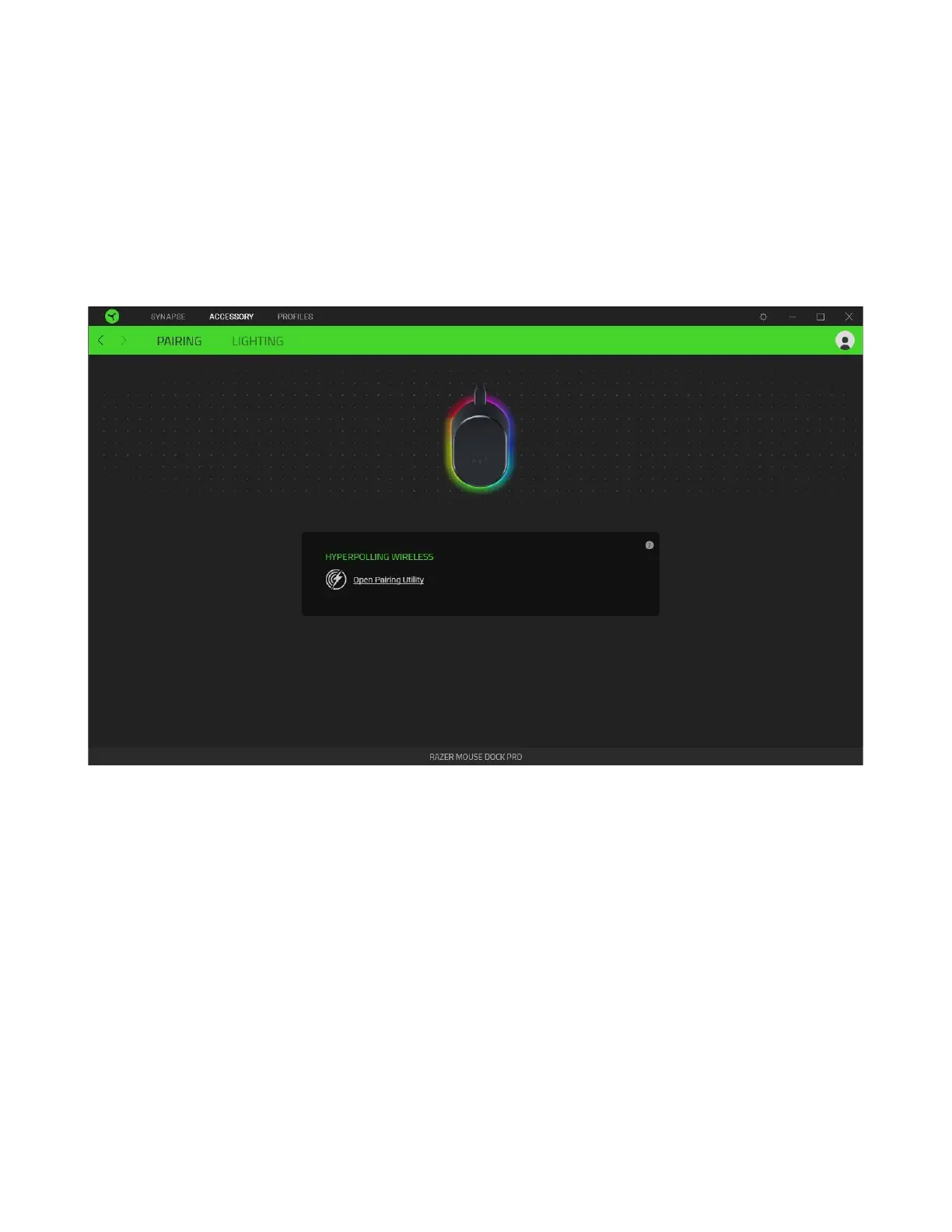
The Accessory tab is the main tab for the Razer Mouse Dock Pro. From here, you'd be able to pair the
mouse dock with your compatible Razer mouse and customize its underglow lighting.
Pairing
Use the Pairing tab to pair (or unpair) the mouse dock with your compatible Razer mouse. To pair
your compatible Razer mouse, launch the Pairing Utility and follow the on-screen instructions.
Upon pairing your mouse dock with your Razer mouse, click on Configure Polling Rate to access the
new polling rate options available in your Razer mouse. Alternatively, you can directly access your
Razer mouse's polling rate from its Performance subtab.



 To Next Page