Need help?
Do you have a question about the Razer Chroma Addressable RGB Controller and is the answer not in the manual?
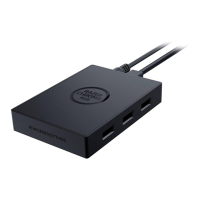
Lists components included in the Razer Chroma Addressable RGB Controller package.
Details the technical features and specifications of the Razer Chroma Addressable RGB Controller.
Explains the default Synapse tab and its function for navigating the dashboard.
Overview of the Synapse dashboard for accessing devices, modules, and services.
Describes the Modules subtab for viewing installed and available software modules.
Lists and describes available software modules like Chroma Connect and Chroma Studio.
Explains binding operations to key-combinations across device profiles.
Configures ARGB strips/devices, LED count, and bends.
Explains the automatic and manual detection of connected ARGB devices.
Modifies settings for each connected ARGB port, including device type and LED count.
Customizes lighting effects for connected ARGB strips or devices.
Manages Razer device settings, allowing creation, import, and export of profiles.
Controls lighting brightness for individual ports or globally via sliders.
Lists and describes pre-set lighting effects that can be applied to connected devices.
Allows selection and creation of advanced Chroma Effects using Chroma Studio.
A power-saving tool to disable all lighting when the system display turns off.
Views games linked to device profiles and Chroma Effects linked to specific games.
Manages games linked to Razer devices or Chroma Effects.
Configures Synapse startup behavior, display language, theme, and notifications.
Resets connected Razer devices or Synapse tutorials.
Displays software information, copyright, and links to terms of use.
Provides guidelines for safe operation, handling, and maintenance of the device.
Details copyright, trademarks, and intellectual property rights related to the product.
Provides information on the terms and conditions of the limited product warranty.
Outlines limitations on Razer's liability concerning the product's use and distribution.
Covers the governing laws and terms for the product's use.
 General
| Brand | Razer |
|---|---|
| Model | Chroma Addressable RGB Controller |
| Category | Computer Accessories |
| Language | English |

 To Next Page