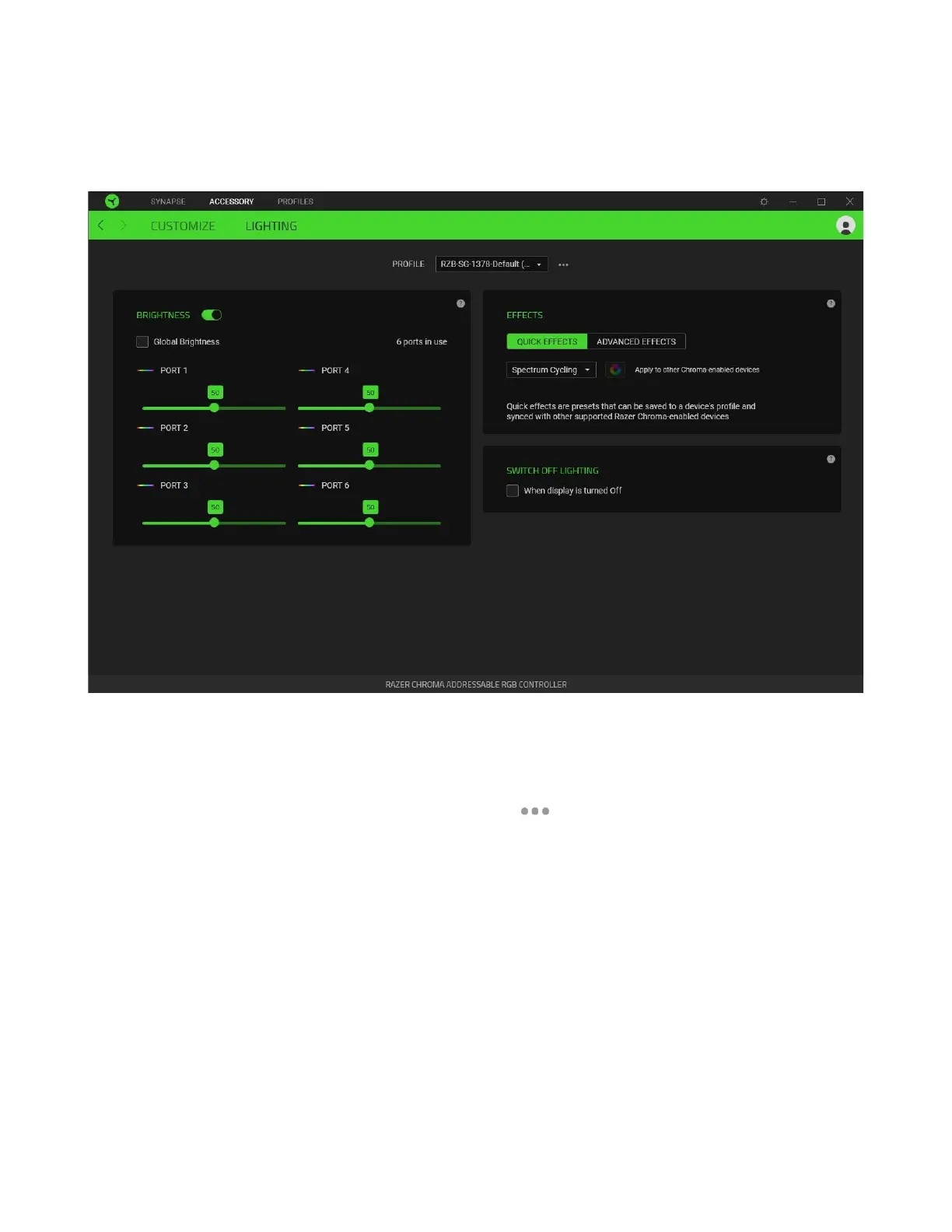
Lighting
The Lighting subtab enables you to customize the lighting of any or all connected ARGB strips or
devices.
Profile
A Profile is a data storage for keeping all your Razer devices’ settings. By default, the profile name is
based on your system’s name. To add, import, rename, duplicate, export, or delete a profile, simply
press the profile’s corresponding Miscellaneous button ( ).
Brightness
You can turn off the lighting of each connected ARGB strip or device by toggling the Brightness option
or increase/decrease the luminance on any port by adjusting its corresponding slider. Alternatively,
you can enable Global Brightness if you want to adjust a single brightness setting for all ports.


 To Next Page