SETTINGS WINDOW
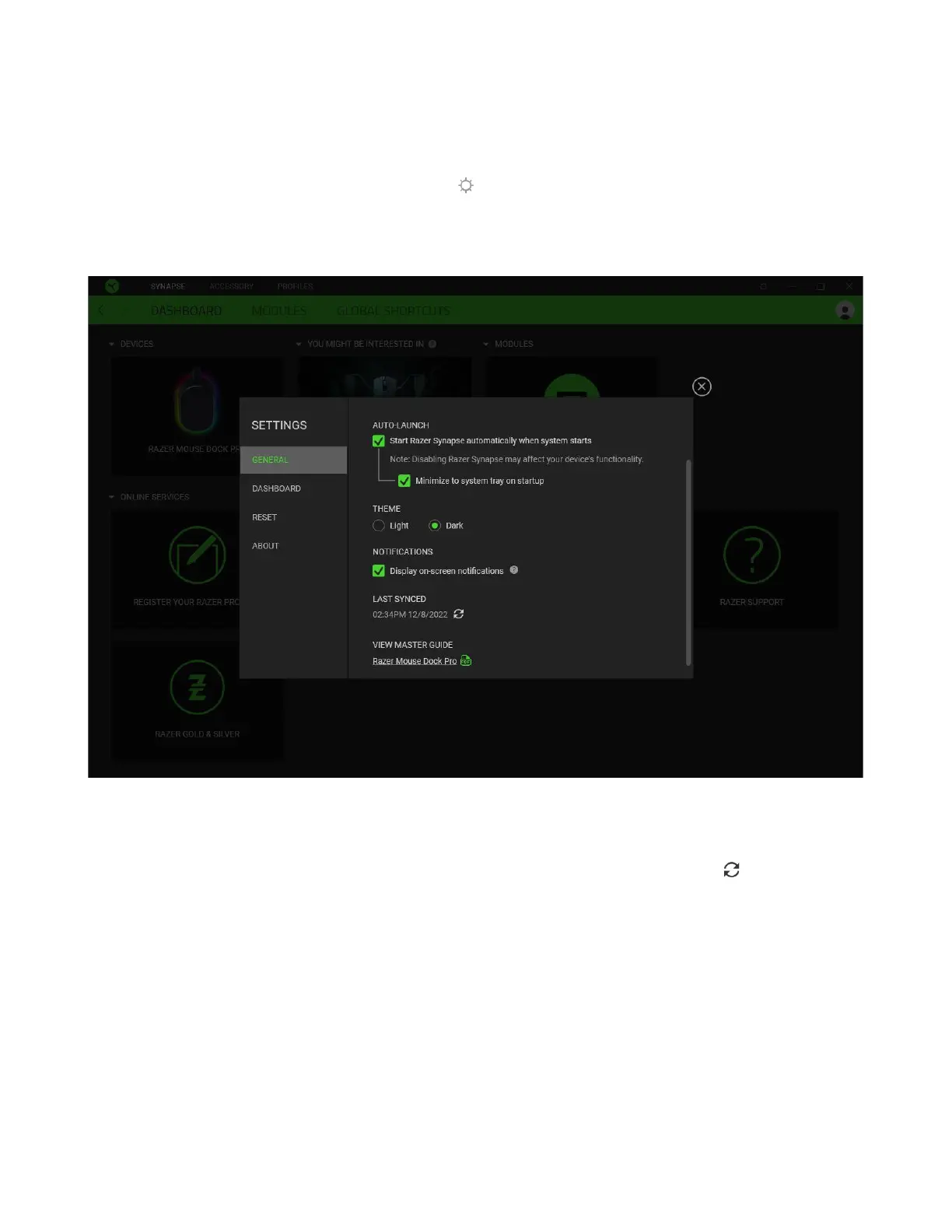
The Settings window, accessible by clicking the ( ) button on Razer Synapse, enables you to
configure the startup behavior and display language of Razer Synapse, view the master guides of each
connected Razer device, or perform a factory reset on any connected Razer device.
General tab
The General tab lets you change the software's display language, startup behavior, theme, and on-
screen notifications display. You may also manually sync your profiles to the cloud ( ) or view the
master guide of all connected Razer devices and installed modules.
Dashboard tab
Use the Dashboard tab to customize which Razer device recommendations based on your setup, and
the games you play will appear on the Dashboard.



 To Next Page