15 | razer™
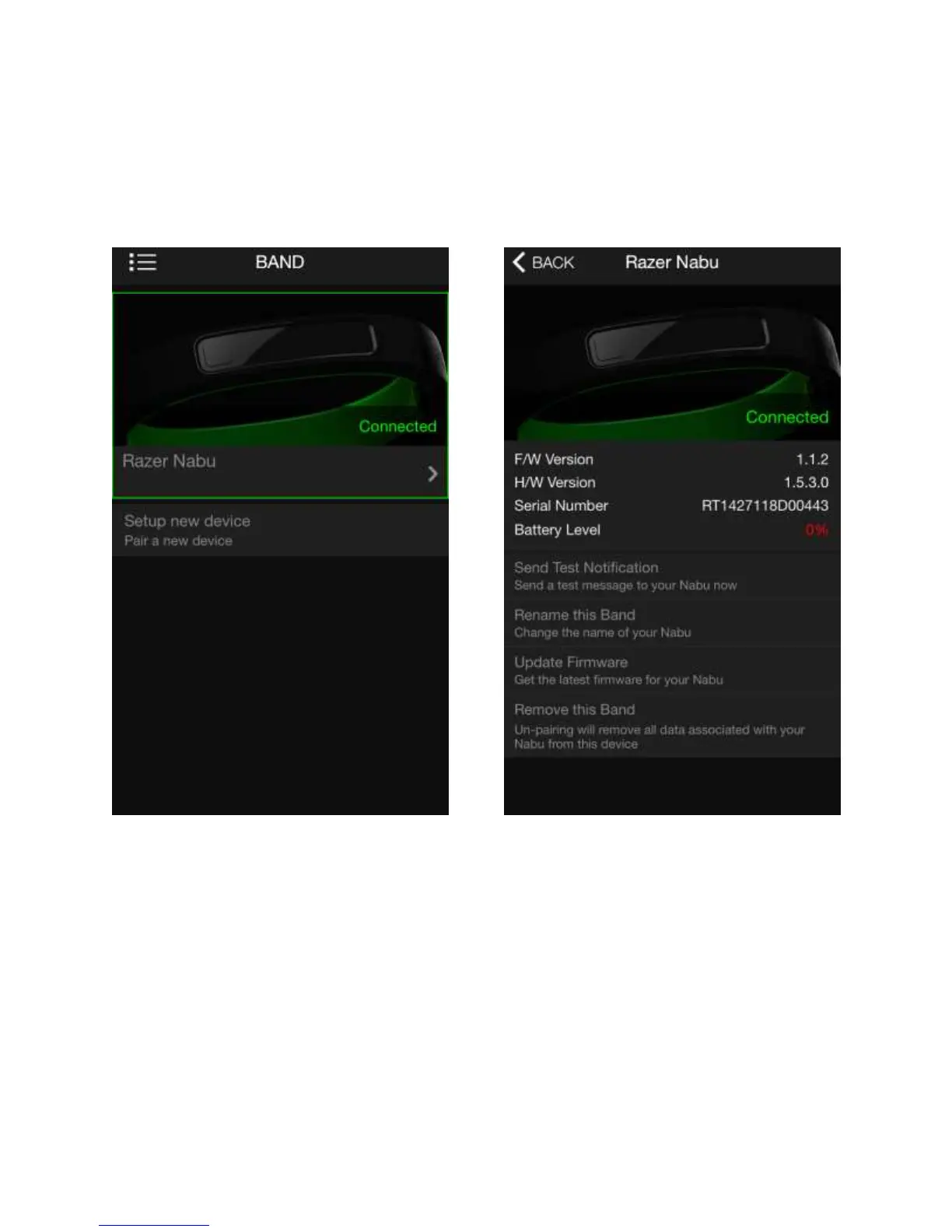
DEVICE AND DETAILS SCREEN
The device screen allows you to view all Razer Nabu smartbands associated with your
account. You may also associate a new Razer Nabu on this screen. If you tap to a
specific smartband, you will be able to see the details screen where you can find
information such as connection status and firmware version.
There are also some available options on the details screen that you may find useful
such as “Sync Now” which allows you to instantly send your user data to the cloud,
“Update Firmware” to get the latest upgrades for your smartband, and “Unpair this
device” to remove the smartband’s association with your account.



 To Next Page