16 | For gamers. by gamers™
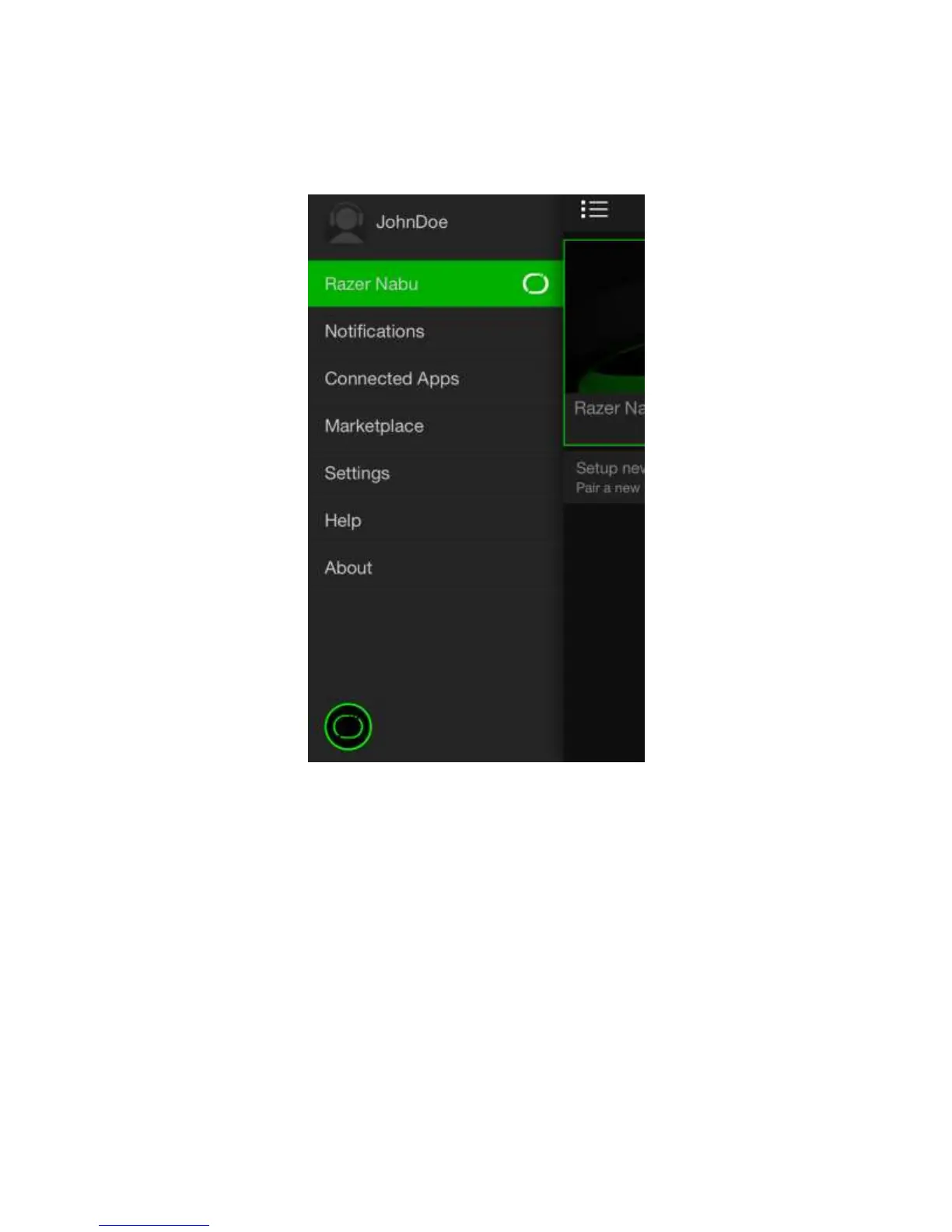
DRAWER MENU
The drawer menu offers a wide variety of features and customizability for you, your
Razer Nabu, and the Utility App.
Listed below are the menu options and their corresponding functions:
Profile - Change or view your account details such as your name, email
address, mobile number, and fitness data.
Notifications - Choose which instances you would like to be notified.
Connected Apps - Allow third party apps to use the information being gathered by the
Razer Nabu.
Marketplace - Find, download, and install apps for the Razer Nabu.
Settings - Customize the Razer Nabu’s settings such as LED brightness,
vibration, clock and much more.
Help - Access the FAQ database to help you troubleshoot your Razer Nabu.
About - View the Utility App’s version as well as legal documentations.



 To Next Page