Need help?
Do you have a question about the Razer NOMMO V2 and is the answer not in the manual?
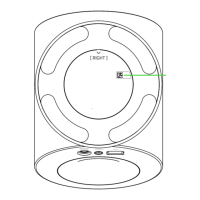
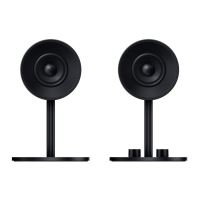
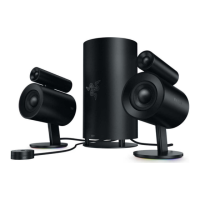
Identifies key components of the Razer Nommo V2 speakers and subwoofer, including ports and indicators.
Lists necessary hardware like USB ports and Bluetooth connectivity for the Razer Nommo V2.
Specifies software requirements, including operating system and internet connection for Synapse.
Instructions for registering your product to gain exclusive benefits and information on the warranty.
Details technical attributes such as THX Spatial Audio, Bluetooth version, driver sizes, and frequency response.
Outlines connection methods including Bluetooth, USB Type C to Type A cables, and speaker cables.
Step-by-step guide on connecting the left and right speaker connectors to the subwoofer ports.
Instructions for connecting the regional power cord to the subwoofer and plugging it into a power outlet.
Guides on connecting the subwoofer to a PC via USB and setting it as the default output device.
Completes PC mode connection by setting the Razer Nommo V2 as the default audio output on the computer.
Steps to pair the Razer Nommo V2 with a device using Bluetooth, including pairing mode activation.
Completes Bluetooth connection by activating Bluetooth on the device and selecting the speaker.
How to power the speakers on/off and adjust the volume using the multi-function and volume control buttons.
Procedure for switching between PC mode and Bluetooth mode using the multi-function button.
How to switch between the gaming speakers and a secondary PC playback device via Synapse.
Instructions for re-entering Bluetooth pairing mode for connecting to new devices.
Introduction to the Synapse tab structure, including Dashboard and Modules for device management.
Details on modules like Chroma Connect, Chroma Studio, Hue, and Macro for enhancing functionality.
Customizing audio settings, including Stereo/THX Spatial Audio, volume, equalizer, and input source.
Managing speaker lighting effects, brightness, and power-saving options through Synapse.
Setting the speakers to enter standby mode automatically when left idle for a specified period.
Managing user profiles, linking settings to games, and importing/exporting configurations.
Configuring Synapse startup behavior, notifications, and device resets through the Settings window.
Essential safety precautions for operating the speakers, including electrical hazards and listening volume.
Recommendations for cleaning the speakers to maintain optimal condition, avoiding harsh agents.
Details on intellectual property rights, product warranty terms, and limitation of Razer's liability.
Governing law and disclaimer regarding the interpretation and amendment of the terms provided in the guide.
 General
| Speaker type | Full range |
|---|---|
| Number of drivers | 3 |
| Speaker placement | Tabletop/bookshelf |
| Audio output channels | 2.1 channels |
| Woofer diameter (imperial) | 5.5 \ |
| USB connectivity | Yes |
| Bluetooth version | 5.3 |
| USB connector type | USB Type-C |
| Connectivity technology | Wired & Wireless |
| Frequency range | 40 - 20000 Hz |
| RMS rated power | - W |
| Product color | Black |
| Recommended usage | PC |
| Quantity per pack | 3 pc(s) |
 Weight and Dimensions
| Depth | 181 mm |
|---|---|
| Width | 130 mm |
| Height | 184 mm |
| Weight | 2600 g |

 To Next Page