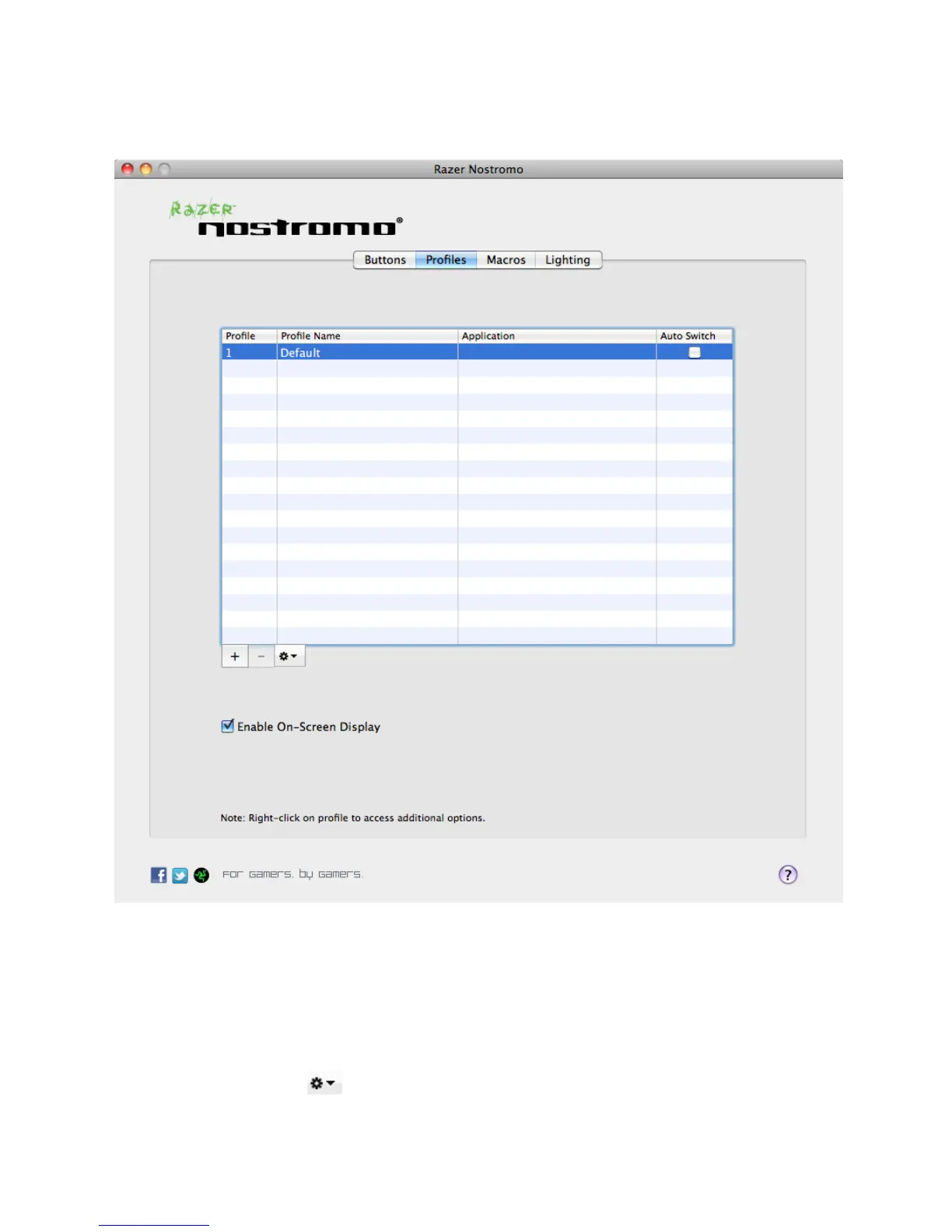
PROFILES TAB
A profile allows you to store various keypad settings such as button assignments and macros as a single
group for your convenience.
In the Profiles tab, you can create and launch up to 20 customized profiles based on the application you
have activated.
Profile: Indicates the profile number
Profile Name: Click and select “Rename” to enter a profile name of your choice.


 To Next Page