16 | For gamers. by gamers™
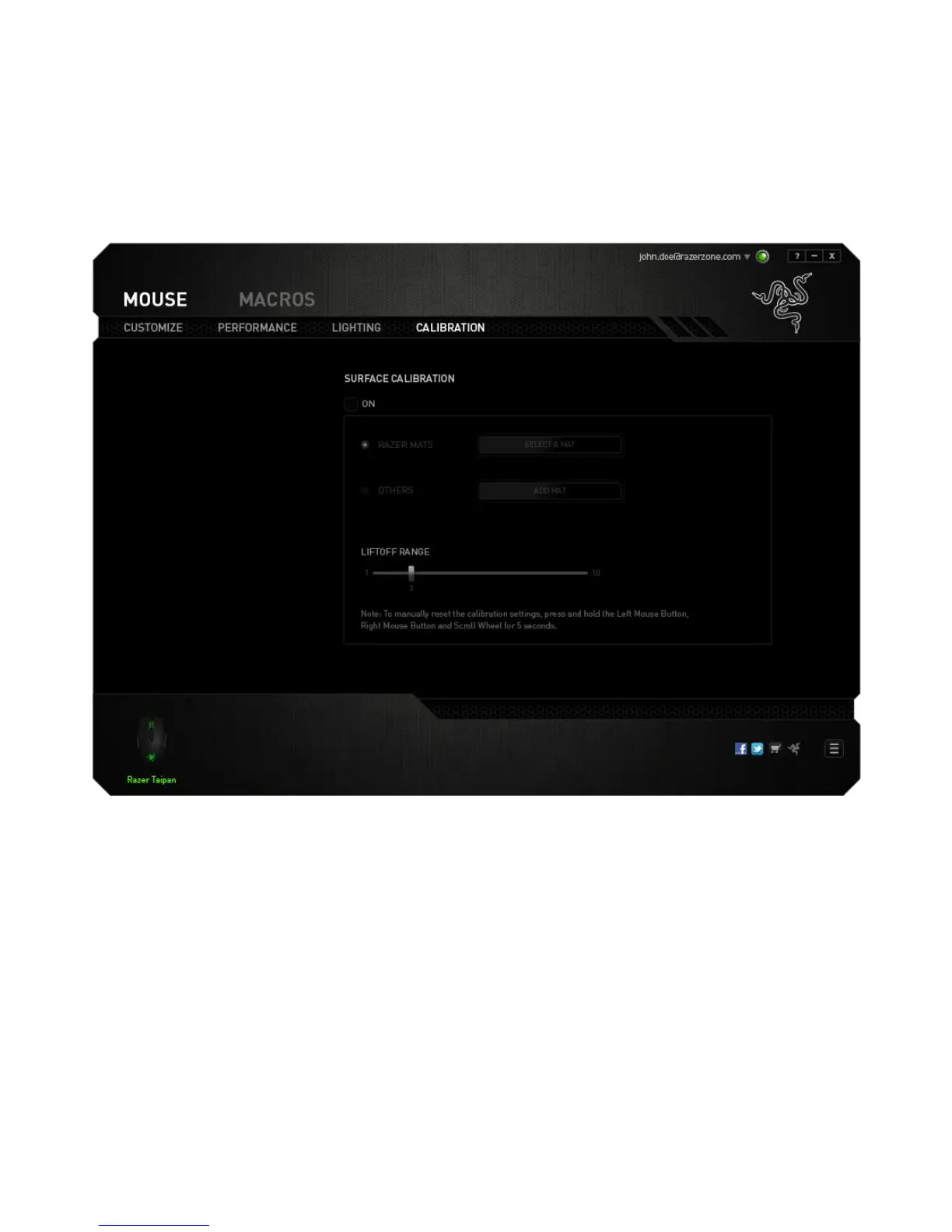
CALIBRATION TAB
The Calibration Tab allows you to optimize your Razer Precision Sensor to any mousing
surface for better tracking. To use this feature, you must select the ON option under
SURFACE CALIBRATION.
The LIFTOFF RANGE allows you to set the distance in which the sensor stops tracking as
it is being lifted away from its mousing surface. To use this feature, you must first
activate SURFACE CALIBRATION then choose an appropriate mousing surface.













 To Next Page