3. Select Profile 6.
4. Right-click the row, select ‘Rename’ and enter a name for the profile.
5. Right-click the row, select ‘Assign Application’ to open up the directory browser and locate the
executable file for Program A
6. Check the auto-switching option for Profile 6 to activate auto-switching.
7. Click OK.
e. By programming a key in the TRON Gaming Keyboard Configurator to activate a particular Profile.
PROGRAMMING KEYS
You can record macros in two ways:
a. By using the On-The-Fly (OTF) Macro Recording function of the TRON Gaming Keyboard
Example: To configure Key “Q” to “Save” in Notepad.
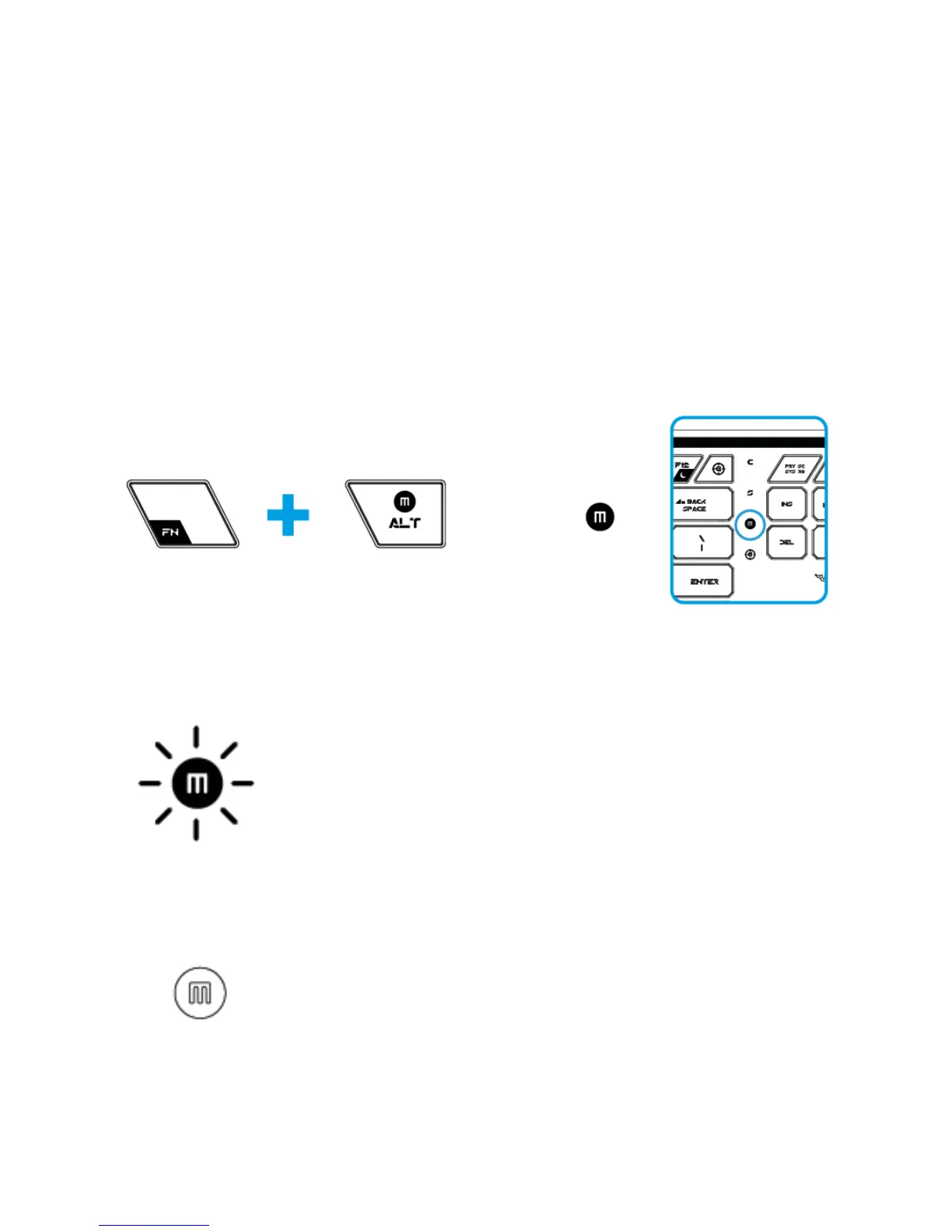
1. Press ‘FN’ button with Alt-Macro button to start the recording of the macro.
The Macro Recording indicator lights up.
2. Press “Ctrl” and “S” (this command is the “Save” function) to define the keystrokes for the macro.
3. Press “FN” button with Alt-Macro button again to stop recording the macro.
The Macro Recording indicator starts blinking.
4. Press “Q” to assign the recently recorded macro to the “Q” button.
The Macro Recording indicator turns off.













 To Next Page