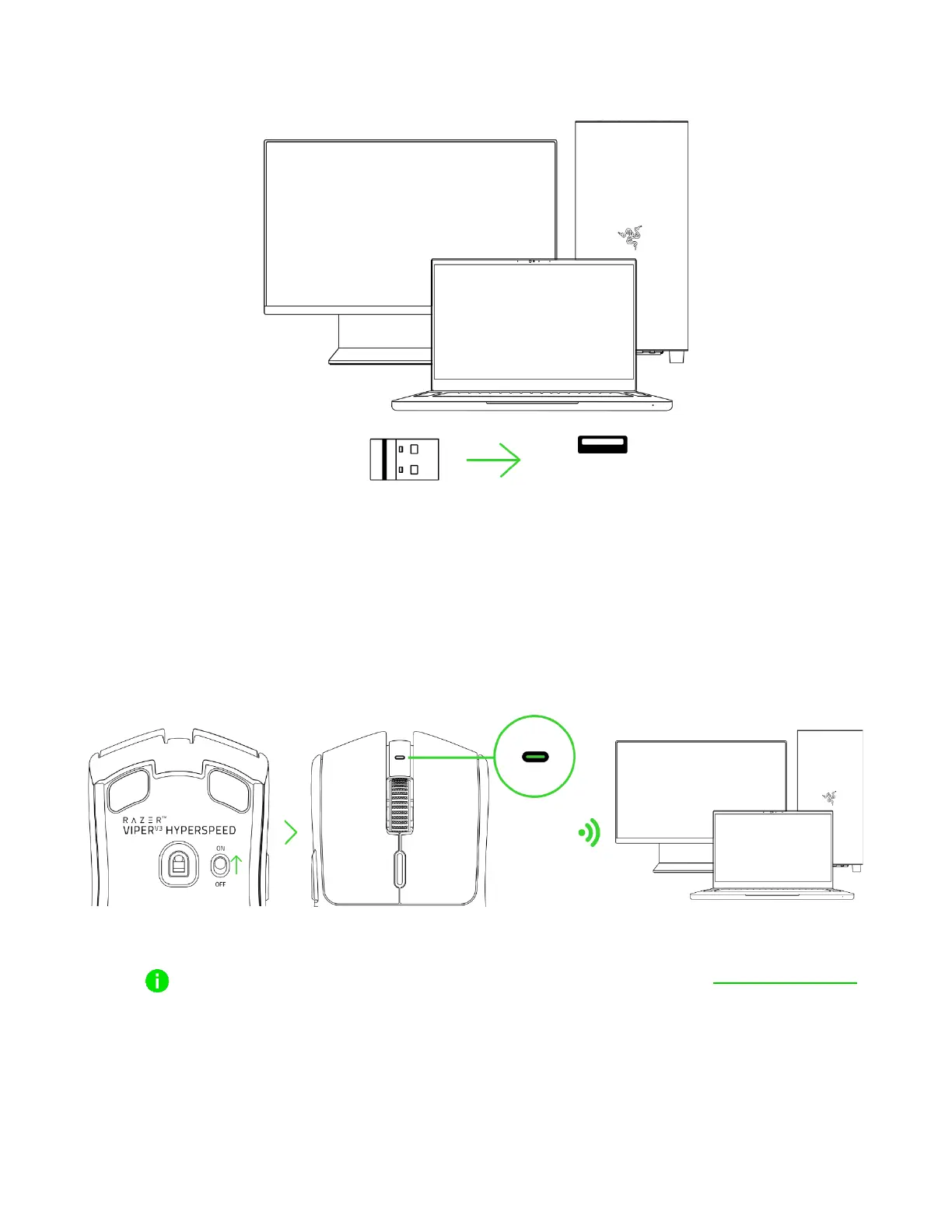
3. Insert the wireless dongle into any of the USB ports on your PC.
4. Switch on the mouse and wait for it to connect to the wireless dongle. The indicator LED will
turn solid green to show that the mouse is connected to the wireless dongle.
Install Razer Synapse when prompted, or download the installer from razer.com/synapse
to personalize your mouse's DPI settings, button configurations, polling rate, and other
features.










 To Next Page