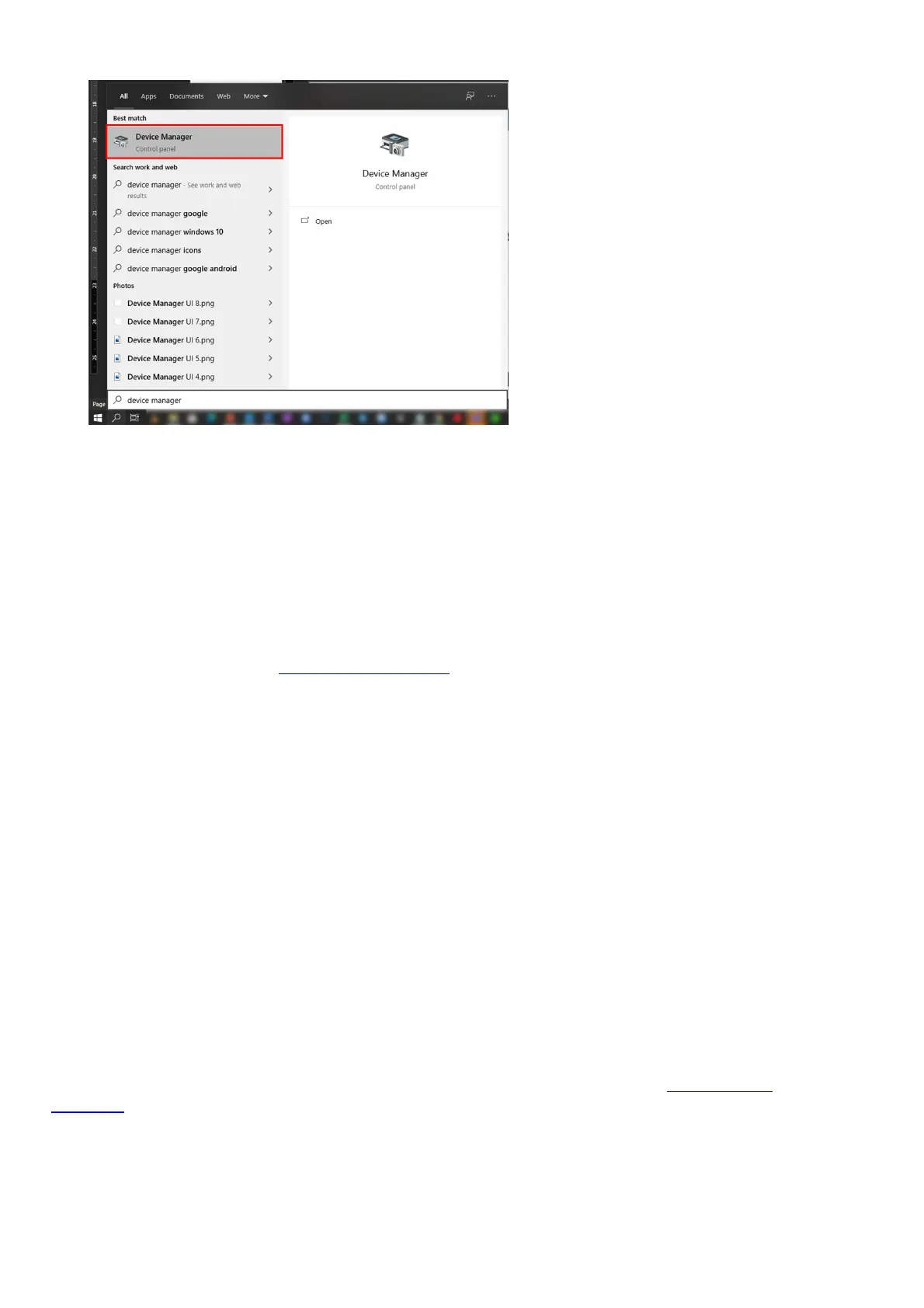
2. Enter Device Manager in the search box, and then select Device Manager.
Note: Windows will possibly ask you for an administrator password or to confirm your selection.
3. Look for “Microsoft Xbox One Controller” and expand.
4. Right-click on “Microsoft Xbox One Controller” and select “Update Driver Software”.
5. Select “Search Automatically for Updated Software”.
You can connect up to 4 Xbox Wireless Controllers at the same time using Xbox Wireless or USB
connections. You will no longer need to connect a headset since you will not get the audio through the
controller.
Note: If the controller doesn’t respond, try connecting a different micro-USB or USB-C cable. For more
information, please visit the Xbox support page.
Why aren’t the audio and audio controls for the Razer Wildcat for Xbox One
working on Windows?
Support for audio and audio controls via the Quick Control Panel on Windows will be coming soon.
Can I use Razer Wildcat on the MAC and on the Razer Forge TV?
No, the Razer Wildcat is designed and licensed specifically for Xbox One and Windows.
Can I use my Razer Wildcat on the PC?
Absolutely! Your Razer Wildcat is fully PC compatible, just plug the USB connector of your Razer
Wildcat into the USB port of your PC and wait until the Xbox One Controller drivers are automatically
installed on Windows 10.
How can I fix my Razer Wildcat that sometimes freezes up? Is unplugging and
replugging it into my Xbox One the only way to get it working again?
If you are experiencing this issue with your Razer Wildcat, please contact our Online Chat
Support to get assistance to update your controller’s Firmware.
Are the ABXY action buttons for the Razer Wildcat Xbox One backlit?
No, the ABXY action buttons are not backlit.
After activating the trigger stops on my Razer Wildcat, in certain games, the










 To Next Page