17 | razer™
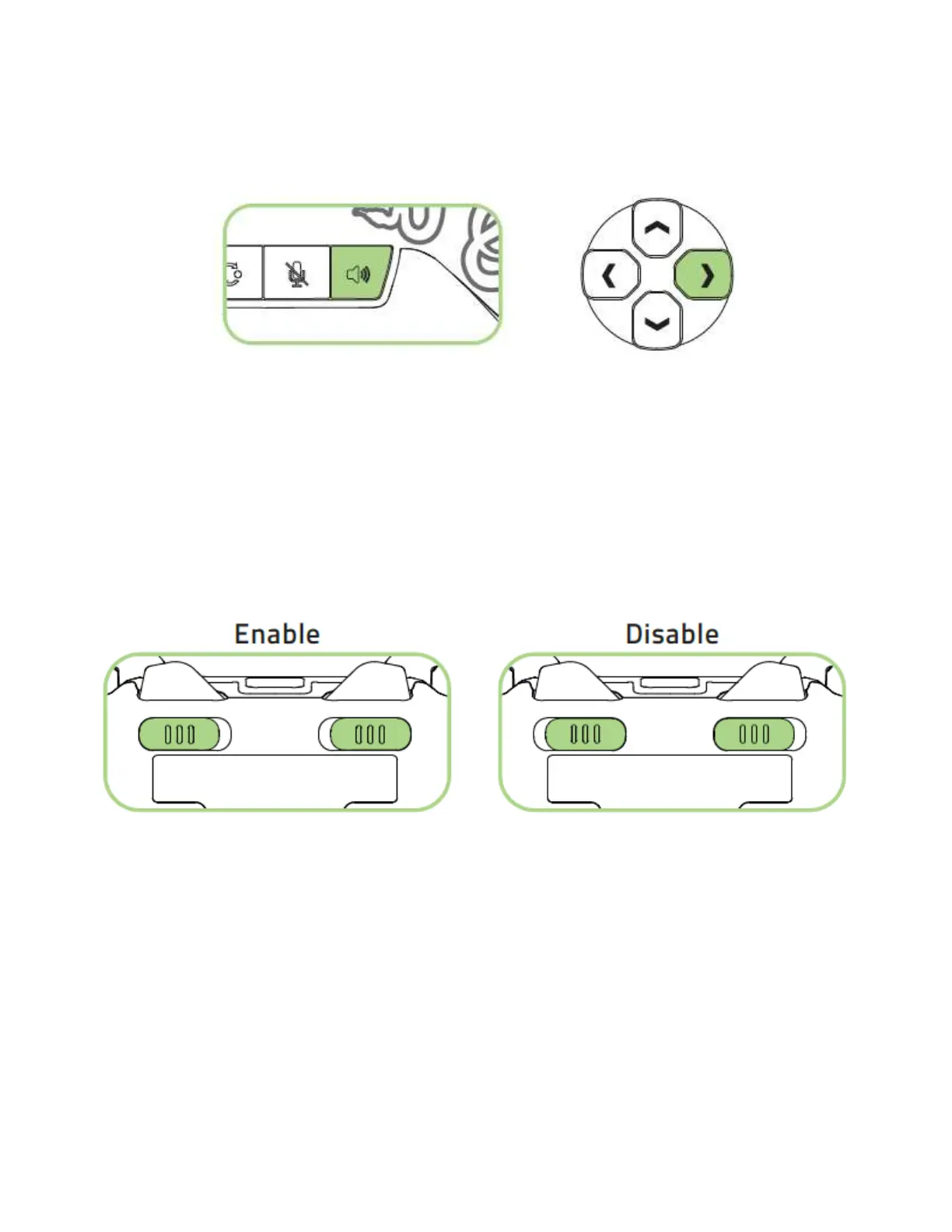
To increase the game volume and decrease the voice chat volume, press and hold the
audio control button then press the directional pad’s right button.
Note: The audio control button and 3.5 mm headset port are only applicable when used on the Xbox
One gaming console.
USING THE TRIGGER STOP SWITCHES
The Trigger Stops allows you to activate the Left and Right Triggers faster by shortening
their travel distance. To enable the Trigger Stops, simply slide the switches outwards;
and to disable the Trigger Stops, slide the switches inwards.










 To Next Page