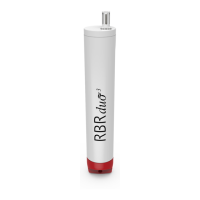
The RBR Ruskin User Guide provides comprehensive information for operating and maintaining RBRsolo³ and RBRduet³ loggers, which are one and two-channel loggers, respectively. Ruskin is a software application that manages RBR loggers, providing a graphical user interface to configure, schedule, enable, download data, graphically view data sets, export data in various formats, and change calibration coefficients for the logger. It is compatible with both PC (Windows 7, 8, 8.1, 10) and Mac (OS X 10.12 Sierra or later) operating systems.
Function Description
Ruskin's primary function is to facilitate the deployment, data acquisition, and analysis of RBR loggers. Users can simulate loggers to familiarize themselves with the software before actual deployment. The software allows for the configuration of logging schedules, including start and end times, sampling rates, and gating conditions. It also provides an "Autonomy Engine" to estimate battery life and memory usage based on the defined schedule.
Data download is a core feature, allowing users to retrieve logged data from the instrument. Ruskin automatically names files based on serial number, date, and time. The software includes an "Analysis" tab for viewing statistical information, configuring calibration data, and displaying channel values at specific sample points. The "Plot view" offers a graphical representation of data, with tools for customization, exploration, and export.
Calibration is a critical function, with a dedicated "Calibration tab" displaying coefficients for each sensor and the date of the last calibration. Ruskin supports user calibration for various sensors, including N-Point, Oxyguard DO, Turbidity, and RBRcoda T.ODO. The software also allows for firmware updates, ensuring the logger operates with the latest features and bug fixes.
Important Technical Specifications
- Software Compatibility:
- PC: Windows 7, 8, 8.1, 10 (Processor speed = 1.4GHz, RAM required = 2GB, Display resolution = 1024x768 recommended, HDD space for installation = 500MB)
- Mac: OS X 10.12 Sierra or later
- Logger Types Supported: RBRsolo³ and RBRduet³ (one and two-channel loggers). Ruskin can simulate most RBR logger types.
- Sampling Rates:
- Standard loggers: User-defined sampling interval in seconds.
- Fast profiling loggers: 2, 4, 8, 16, 24, 32 Hz.
- Tide loggers: Average at 2, 4, 8, 16 Hz.
- Wave loggers: Sample at 2, 4, 8, 16 Hz.
- Battery Chemistries Supported: Lithium thionyl chloride (3.7V, 2400 mAh), Lithium (1.5V, 3500 mAh), Alkaline (1.5V, 2500 mAh), Li-ion (3.6V, 750 mAh), NiMH (1.2V, 2400 mAh).
- Wave Burst Lengths: Power of 2, from 512 to 32768 samples.
- Turbidity Sensor Ranges: Autoranging or fixed gain at 2500, 500, 125, or 25 NTU.
- Data File Format: RSK (SQLite-based database for large files and high-speed access).
- Export Formats: Microsoft Excel (.xlsx), Text (.zip), OceanDataView spreadsheet (.odv), Raw binary (.bin). Legacy formats are also available but not recommended for newer instruments. Excel export is limited to 65,000 rows.
- Matlab Integration: RSK files can be imported into Matlab using the RSKtools toolkit (available from rbr-global.com). Direct exports to Matlab may fail for RSK files exceeding 20MB.
Usage Features
- Installation: Straightforward installation on both PC and Mac with clear instructions. Drivers for USB communication are installed during PC setup.
- Updates: Ruskin automatically checks for and notifies users of newer versions. Updates can be performed directly within the software.
- Feedback: Users can provide feedback or bug reports directly through the "Help" menu, including diagnostic logs and other relevant files.
- Deployment Planning: The software guides users through the process of configuring loggers, including setting schedules, and provides estimates for battery life and memory usage. It prevents scheduling that exceeds memory capacity.
- Simulated Loggers: Allows users to experiment with logger functionality without needing a physical instrument.
- Logger Information: Provides static information about connected loggers, including model, serial number, firmware, battery status, and channels.
- Data Download: Simple process to download all logged data, with automatic file naming.
- Data Analysis:
- Plot View: Graphical display of data with tools for zooming, panning, and selecting data points.
- Cursor Tab: Displays channel values and statistics at the cursor's location.
- Display Statistics: Calculates average and standard deviation over a user-defined range of samples.
- Overview Tab: General dataset information, including number of samples, events, diagnostics, firmware, deployment times, and period.
- Channels Tab: Displays measured parameters, sensor manufacturers, range settings, and derived channel information.
- File Info Tab: Provides file version, structure, size, and indicates if an update to the RSK file format is available.
- Calibration:
- User Calibration: Supports N-Point, Oxyguard DO, Turbidity, and RBRcoda T.ODO calibrations.
- Calibration Region Creation: Users can define specific regions in the plot for calibration.
- Plateau Detection: Automatic and manual creation/deletion of plateaus for calibration.
- Reference Data Entry: Manual or automatic entry of reference values for calibration.
- Coefficient Management: Edit, store, and revert calibration coefficients.
- Firmware Updates: In-software utility to upgrade logger firmware, with release notes and progress indicators.
- Preferences: Customizable global settings for data file locations, plotting preferences, derived channels, and advanced sampling/calibration controls.
- Derived Channels: Allows users to change default parameters for calculating derived channels (e.g., depth, dissolved oxygen concentration).
- Automatic Tasks: Auto-download, auto-stop, and auto-deploy features for managing multiple loggers efficiently.
Maintenance Features
- Battery Replacement: Strong recommendation to replace batteries before every deployment unless capacity is certain. Warnings are provided for low battery voltage.
- Battery Chemistry Selection: Users must select the appropriate battery chemistry in the configuration tab for accurate deployment estimates from the autonomy engine.
- Battery Mixing Warning: Explicit warning against mixing batteries of different chemistries, brands, or age due to potential performance reduction, damage, overheating, leakage, and explosion.
- O-ring Inspection: Essential for logger maintenance to prevent leaks.
- Desiccant Use: Strongly advised to prevent internal condensation, especially when deploying in colder environments after closing the logger in a warmer one.
- Physical Stress Avoidance: Recommendations to avoid clamps or brackets that concentrate stress on the logger body, which can lead to leaks or damage. RBR can provide suitable mooring and mounting clamps.
- Logger Orientation: Best practice to mount the logger with the sensor end facing down to mitigate battery capacity sensitivity to cell orientation.
- Firmware Updates: Regular firmware updates are a form of maintenance, ensuring the logger operates optimally and addresses any known bugs.
- Calibration Program: Users are expected to maintain a regular program of calibration for their sensors.
- Data File Integrity Check: Ruskin performs an integrity check on older data files to ensure compatibility with newer software versions, prompting updates if necessary.

 Need help?
 General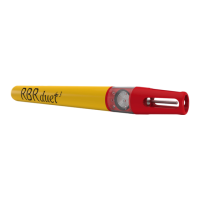

 To Next Page